Black Grouse protocol
TETRAO_TETRIX
Access your protocol from Menu > Take part > All my protocol > Black Grouse protocol.
For other options, visit wiki section Web interface > Local portal > Protocols > Accessing protocols.
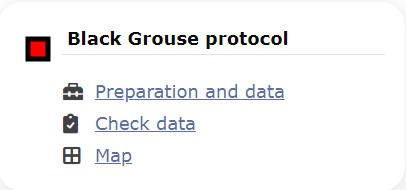
Black Grouse protocol. Main menu.
Black Grouse
-
1 Preparation and data
- 1.1 Add observations
- 1.1.1 Starting the protocol
1.1.2 Entering observations
1.1.3 Ending the protocol
- 1.2 Results
1.3 Display on map
1.4 Modify the protocol
1.5 Census results
1.6 Download map
- 2 Check data
3 Map
TETRAO TETRIX Preparation and data
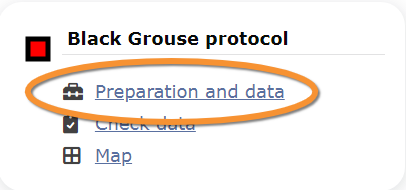
Black Grouse protocol. Preparation and data.
Lists all sites available to the current profile and allows entering observations, downloading printable maps and seeing results.
1 Preparation and data
-
1.1 Add observations
- 1.1.1 Starting the protocol
1.1.2 Entering observations
1.1.3 Ending the protocol
- 1.2 Results
1.3 Display on map
1.4 Modify the protocol
1.5 Census results
1.6 Download map
TETRAO TETRIX Add observations
Click on Add observations (see image below) in the site you need to enter data to.

Rock Ptarmigans protocol. Add observations.
TETRAO TETRIX Starting the protocol
Before entering observations, it is required to enter general parameters regarding the protocol. Parameters are protocol specific. Fields marked with an asterisk are mandatory.
See wiki section Web interface > Protocols > Preparation and data > Add observations > Starting the protocol for details.
Click NEXT to start entering observations.
[Top to Add observations]
[Top to Preparation and data]
[Back to Black Grouse protocol]
TETRAO TETRIX Entering observations
This protocol requires indicating the position of individuals observed.
See Web interface > Local portals > Protocols > Preparation and data > Add observations > Entering observations > Position of individuals for more information.
To enter observations:
1. Select sex of individual.
2. Position the observation on the map. Each sighting is indicated with a different point colour.
3. Scroll down to modify data or enter details of observation. Note dot colours match those in the map above.
4. Open panel to enter additional information.
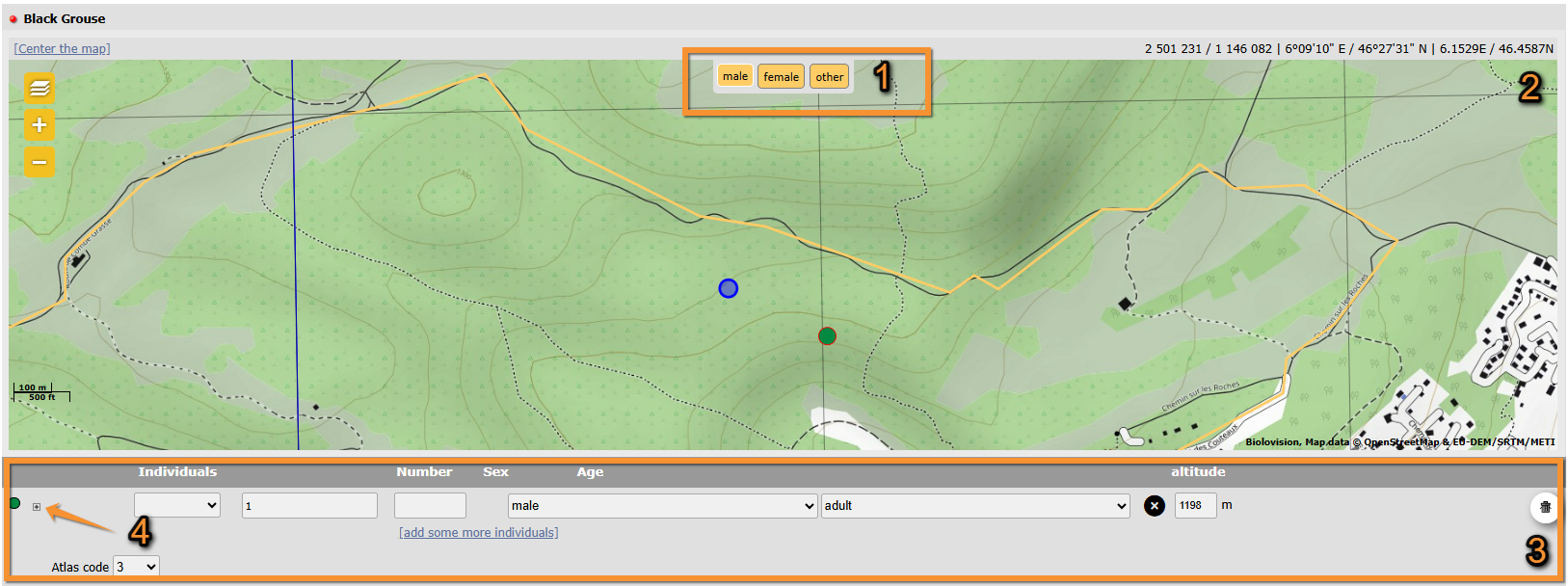
Black grouse. Entering observations.
1. Sex: Click on icons to select sex of observation.
2. Position: Click at sighting's position. Note active position highlighted in blue.
3. Add information: Add, or modify, details.
4. Additional information: Open panel to add additional information.
[Top to Add observations]
[Top to Preparation and data]
[Back to Black Grouse protocol]
TETRAO TETRIX Ending the protocol
Click on I RECORDED ALL SPECIES FROM THE PROGRAME to end the count.
A green badge at the top will indicate your data has been saved. If there is some problem with your data, an error message will prevent you from continuing.


See wiki section Web interface > Protocols > Preparation and data > Add observations > Ending the protocol for more information.
[Top to Add observations]
[Top to Preparation and data]
[Back to Black Grouse protocol]
TETRAO TETRIX Results

Rock Ptarmigan protocol. Results.
See some statistics about your surveys results.
Visit wiki section Web interface > Protocols > Preparation and data > Results for details.
[Top to Preparation and data]
[Back to Black Grouse protocol]
TETRAO TETRIX Display on map
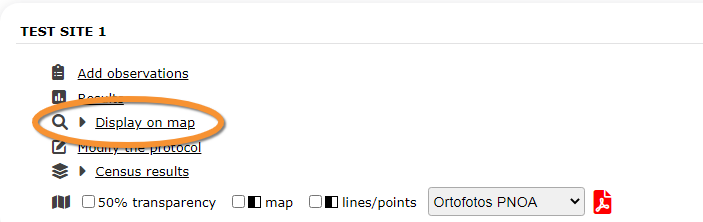
Rock Ptarmigans. Display on map.
For the selected site, see the area to survey on a map. To know how to navigate the map, refer to wiki section Web interface > Navigating the map.
Visit wiki section Web interface > Protocols > Preparation and data > Display on map for details.
[Top to Preparation and data]
[Back to Black Grouse protocol]
TETRAO TETRIX Modify the protocol

Rock Ptarmigans protocol. Modify the protocol.
Modify the site to survey.
Visit wiki section Web interface > Protocols > Preparation and data > Modify the protocol for details.
[Top to Preparation and data]
[Back to Black Grouse protocol]
TETRAO TETRIX Census results

Rock Ptarmigans protocol. Census results.
Click on Census results to see all available years with data for this site (see image Protocol. Selecting year to visualise). Select the one to visualise.

Visit wiki section Web interface > Protocols > Preparation and data > Census results for details.
[Top to Preparation and data]
[Back to Black Grouse protocol]
TETRAO TETRIX Download map

Rock Ptarmigans protocol. Download map.
Download maps ready to print.
Visit wiki section Web interface > Protocols > Preparation and data > Download map for details.
[Top to Preparation and data]
[Back to Black Grouse protocol]
TETRAO TETRIX Check data
Black Grouse protocol. Check data.
Calendar showing visits to different sites and number of species detected.
Visit wiki section Web interface > Protocols > Preparation and data > Check data for details.
[Top to Check data]
[Back to Black Grouse protocol]
TETRAO TETRIX Map
Black Grouse protocol. Map.
Map and statistics for site.
Visit wiki section Web interface > Protocols > Preparation and data > Map for details.
[Top to Map]
[Top to Black Grouse Protocol]
[Back to Protocols]