Export records
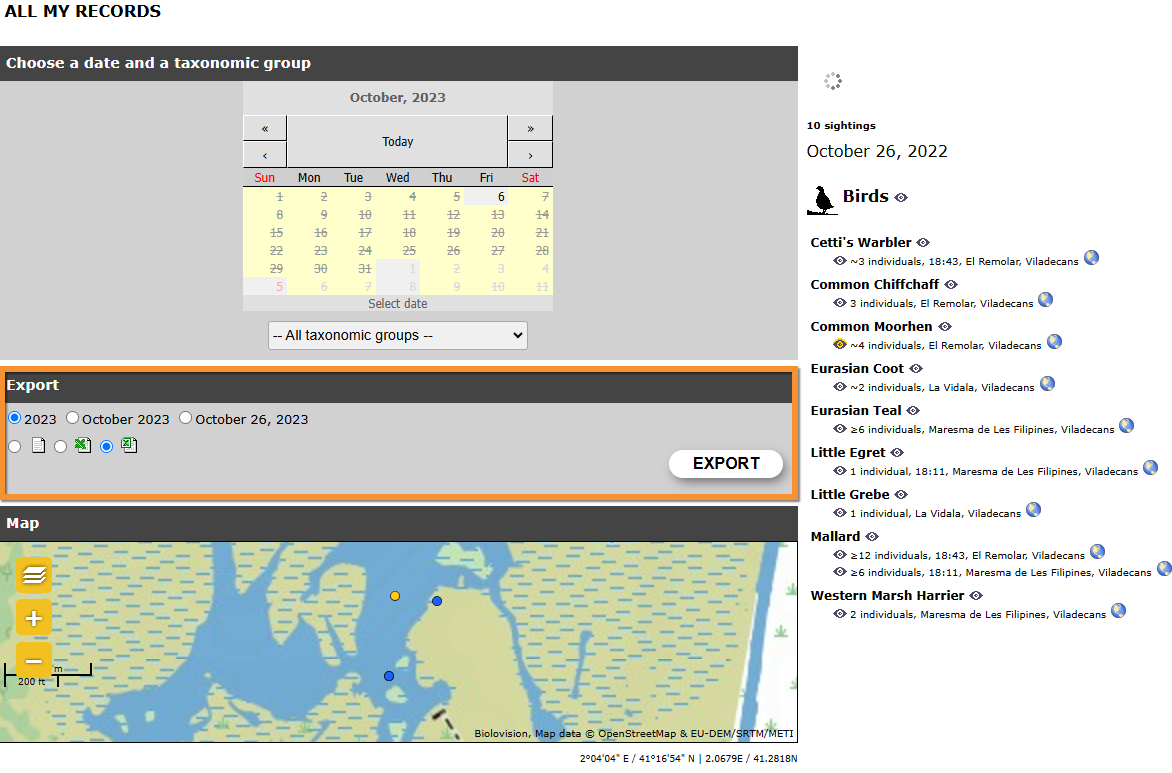
Export data.
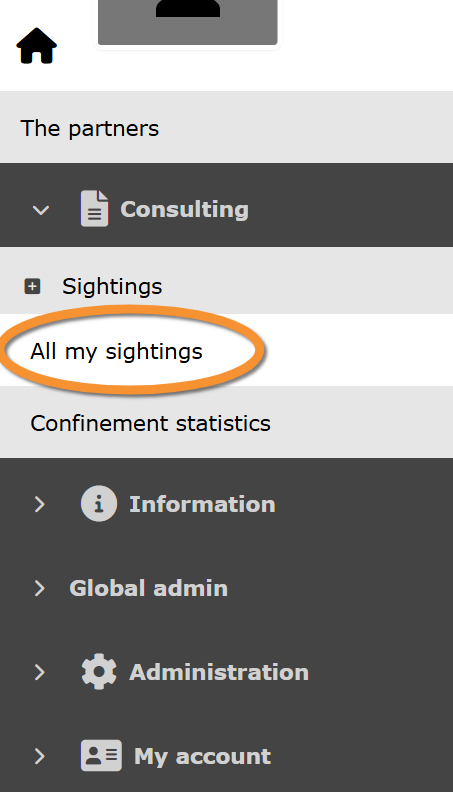
Export your data by going to Main menu > Consulting > Sightings > All my observations. All your observations, and go to Export section.
· Select period,
· Select format, and
· Start exporting.
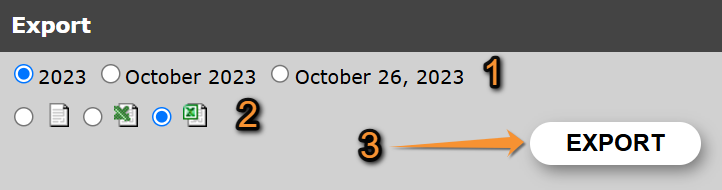
- 1. Select period
- 1. Select period
Select the period of time to export your data.
Check:
· a full year,
· a Full month, or
· only a day.
Change options by changing period selection on the above section 'Choose a date and a taxonomic group'. Year, month and day ready to export are those selected above.
- 2. Select format
- 2. Select format
Select how to export data.
Check one of the options:
 |
Export your data as a tab separated plain text(.txt). It can be opened with Microsoft Notepad, WordPad and TextEdit. |
 |
Export your data as a MS Excel file (.xlsx). It can be opened with Microsoft Excel. |
- 3. Start exporting
- 3. Start exporting
When period and format are selected, click
· 'EXPORT' to start exporting your observations, or
· 'EXPORT LISTS INFO' to start exporting information about lists, if available, and
select where to store your data in your computer. Export will start immediately. Fields downloaded are stated underneath:
| Field name | File description |
|---|---|
| ID ornitho 'Local portal' | Entry number at the local portal. It is automatically assigned. |
| Universal observation ID | Entry number at Biolovision products. It is automatically assigned. |
| Biolovision species ID | Number associated to the species. It is automatically assigned by the system. |
| Species | Species name in the language selected at 'Preferences'. |
| Latin name | Latin name of the species. |
| Taxonomic group | Taxonomic group of the observation. |
| Family | Family the observation belongs to. |
| Systematic order | |
| Date | Date of observation. |
| Day | Day number the observation took place. |
| Month | Month the observation took place. |
| Year | Year the observation took place. |
| Day of the year | Day the observation took place, starting the count on 1st January. |
| Pentad | Pentad (group of five days) of the year the observation took place. |
| Decade | Decade (group of ten days) of the year the observation took place. |
| Week number | Week number the observation took place, counting from the first week of January. |
| Timing | Time of observation. |
| Site | Site name and location where the observation took place. |
| Latitude (N) | Latitude coordinates in N-S position format. |
| Longitud (S) | Longitud coordinates in E-W position format. |
| Latitud (DMS) | Latitud in DMS format (degrees, minutes and seconds). |
| Longitud (DMS) | Longitud in DMS format (degrees, minutes and seconds). |
| UTM Zone North | Square the observation took place on a UTM grid. |
| UTM X (m) | Position on the X axe on a UTM grid. |
| UTM Y (m) | Position on the Y axe on a UTM grid. |
| Singing / hearing contact | Indicates if the individual/s observed was singing or vocalising. |
| Altitude | Altitude the observation took lace. It is determined automatically but can be modified when entering data. |
| Estimation | Count precision. Indicates how precise is the number of individuals recorded on the observation. |
| Number | Number of individuals recorded on the observation. |
| Details | Number of individuals per age/sex class, if provided. |
| Atlas code | Atlas code recorded for the observation. |
| Hidden | Indicates if the observation is public or hidden to the public. |
| Verify | |
| Comment | Public comment left about the observation. |
| Private comment | Private comment left about the observation. |
| Observer ID | Number automatically assigned to the user on the local portal. |
| Universal observer ID | Number automatically assigned to the user on Biolovision's products. |
| First name | First name of observer. |
| Family name | Family name of observer. |
| Observer's e-mail. | |
| Anonymous | Indicates if the observer wanted to report the observation anonymously. |
| Insertion date | Date the observation was recorded on the system. |
| Source | Indicates how the data was submitted. |
| Last modification date | Last date the observation was edited once entered. |
| SEARCH_EXPORT_TEXT_HAS_OFFSPRING_INFO | Indicates if the observation included offspring data. |