Rarity reports
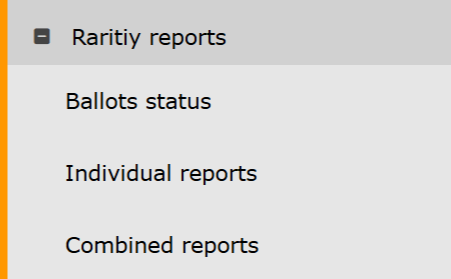
Rarity reports. Menu.
Ballots status
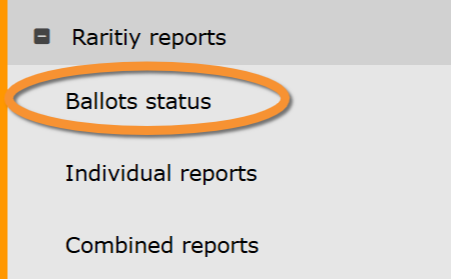
Rarity reports. Ballots status.
Ballot open
Species that are still open to vote.
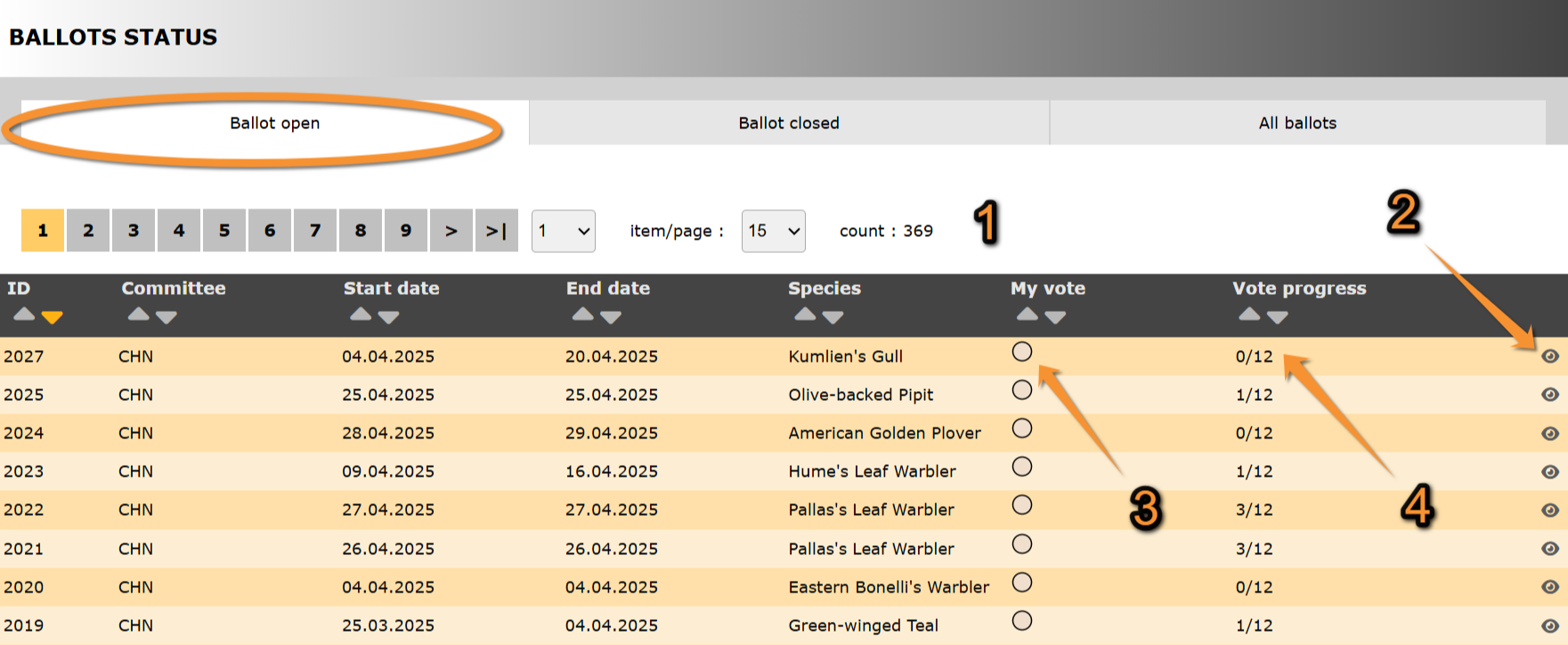
Ballot open.
ID: Text 1.
Committee: Text 2.
Start date: Text 1.
End date: Text 2.
Species: Text 1.
3. My vote: Text 2.
4. Vote progress: Text 2.
- Search
Select page number and/or number of items per page.
- Details
See details about this sighting and its rarity report associated.
See Ballot details for more information.
- My vote
- Vote progress
[Top to Ballot open]
[Top to Ballots status]
[Back to Rarity reports]
Ballot closed
Species in which voting is closed.
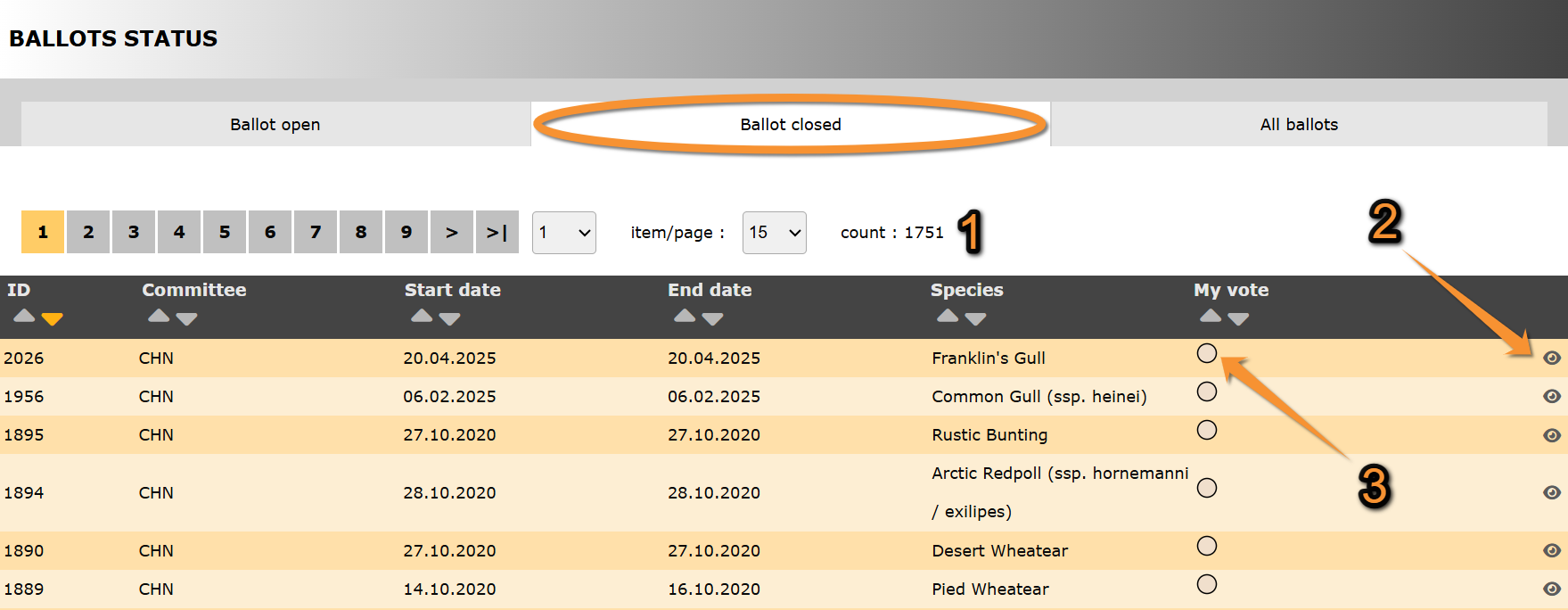
Ballot closed.
ID: Text 1.
Committee: Text 2.
Start date: Text 1.
End date: Text 2.
Species: Text 1.
3. My vote: Text 2.
- Search
Select page number and/or number of items per page.
- Details
See details about this sighting and its rarity report associated.
See Ballot details for more information.
- My vote
[Top to Ballot closed]
[Top to Ballots status]
[Back to Rarity reports]
All ballots
List of all ballots, opened and closed.
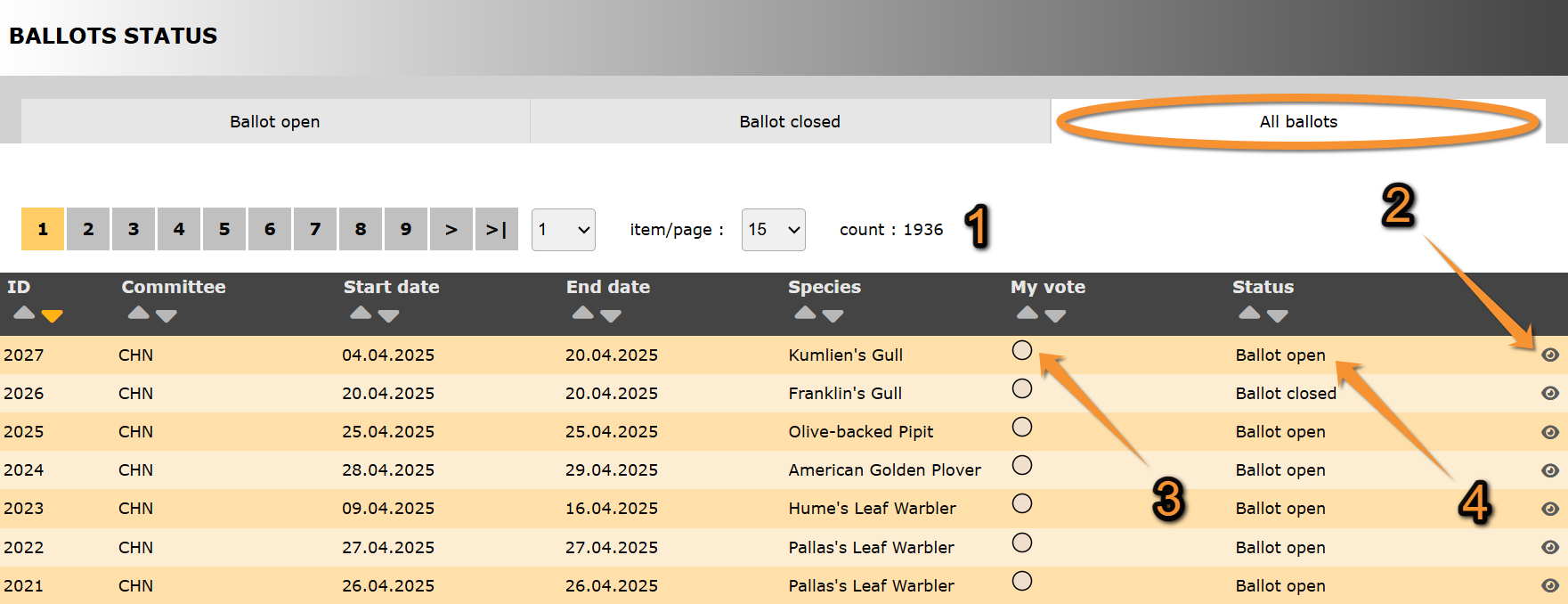
All ballots.
ID: Text 1.
Committee: Text 2.
Start date: Text 1.
End date: Text 2.
Species: Text 1.
3. My vote: Text 2.
4. Status: Text 2.
- Search
Select page number and/or number of items per page.
- Details
See details about this sighting and its rarity report associated.
See Ballot details for more information.
- My vote
- Status
Indicates in which state are all ballots listed:
· Ballot open:
· Ballot closed:
[Top to All ballots]
[Top to Ballots status]
[Back to Rarity reports]
Ballot details
See details of species.
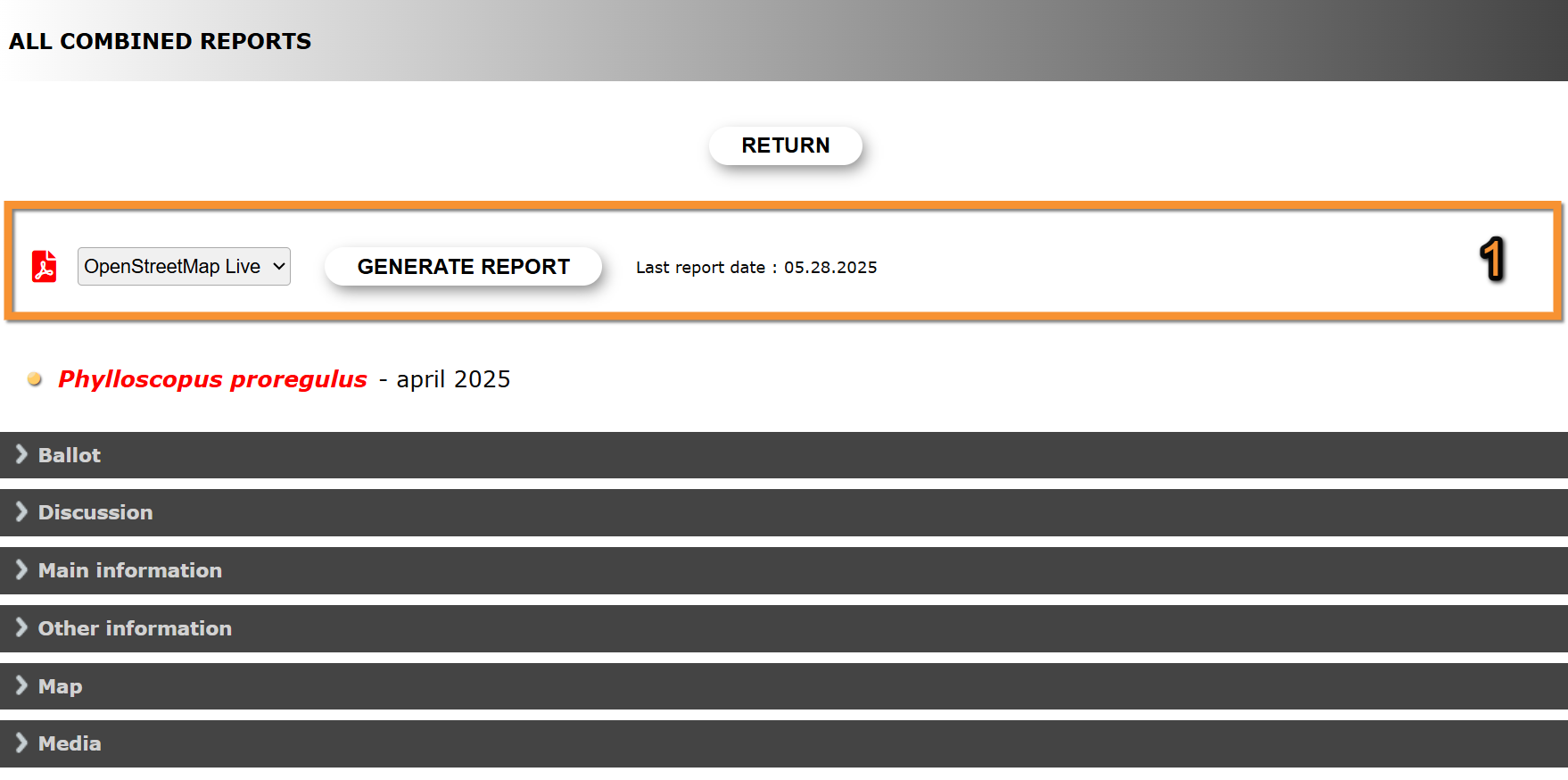
Ballot details.
Return: Go to previous screen.
1. Report:
2. Ballot: Text 2.
3. Discussion: Text 1.
4. Main information: Text 2.
5. Other information: Text 1.
6. Map: Text 2.
7. Media: Text 1.
- Report
Create a downloadable report as a .pdf file with information about the species sighting.
1. Select from the expandable menu the map layer.
2. Click Generate report to create the .pdf file.
3. Click  to open the report on a new tab.
If a report for the sighting has already been created, the date and time of latest report is shown on the right.

Download report.
1. Select map layer.
2. Generate report.
3. Open report.
- Ballot
See ballot results and list of users allowed to vote.
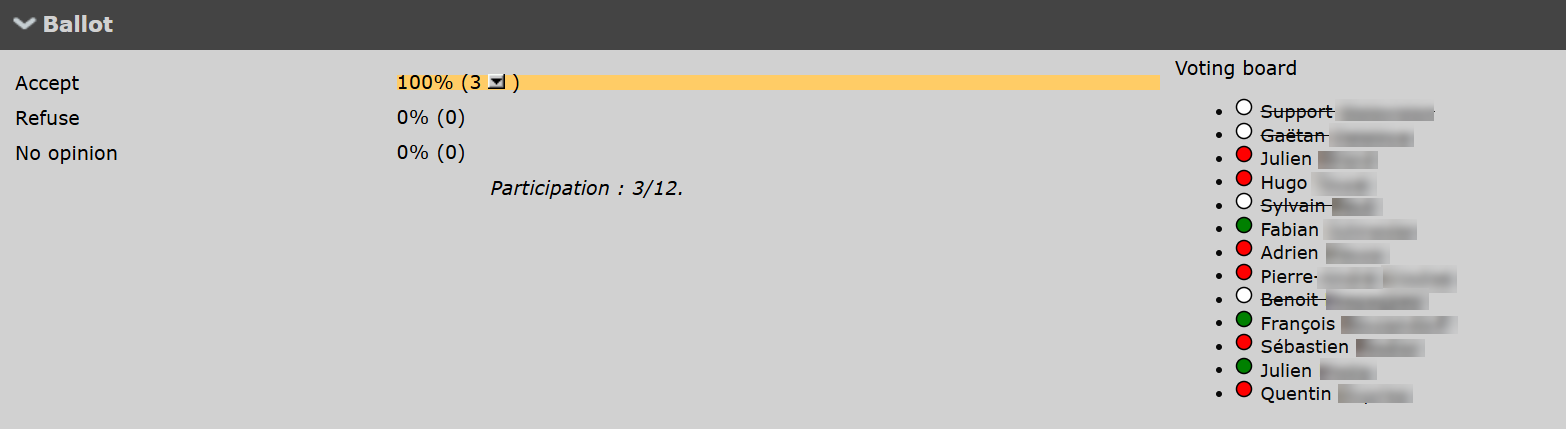
Ballot details. Ballot.
- Discussion
- Main information
- Other information
- Map
Map positioning all sightings, and list of observation details.
- Media
Media files associated to the sighting.
[Top to Ballot details]
[Top to All ballots]
[Top to Ballots status]
[Back to Rarity reports]
Individual reports
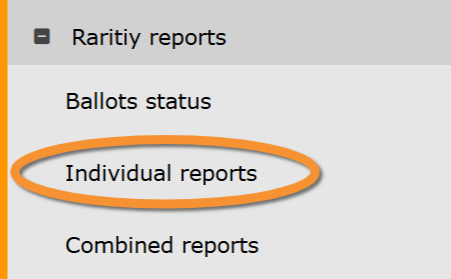
Rarity reports. Individual reports.
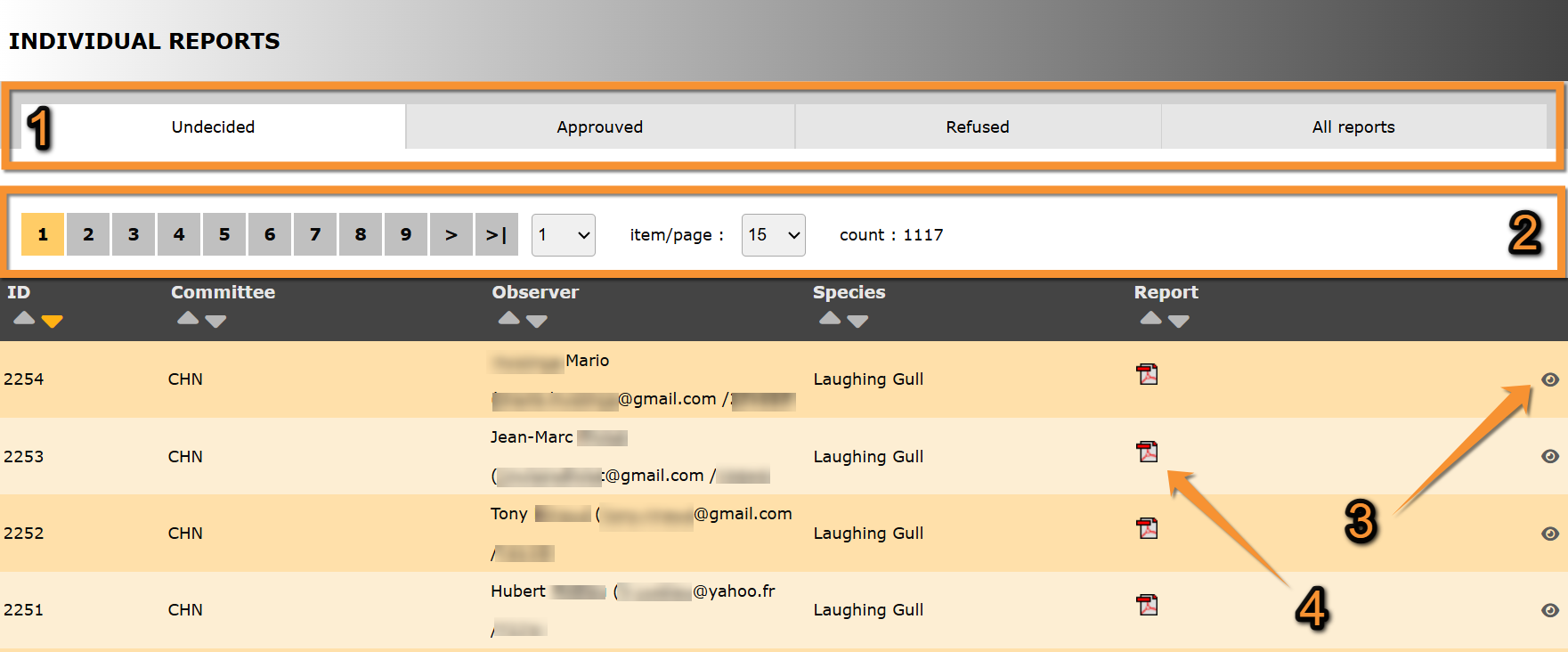
Individual reports.
1. Report status
2. Search
3. Details
4. Report
ID:
Committee:
Observer: Name, contact details and user number of observer.
Species: Species the report refers to.
Report: .pdf file containing the report about this observation.
- Report status
Select from the tab which list of reports to visualise:
· Undecided: List of observations pending validation.
· Approved: List of observations already accepted.
· Refused: List of observations rejected.
· All reports: List of all observations independently of their status.
- Search
Select page number and/or number of items per page.
- Details
See details of the observation.
- Report
Download the .pdf file containing the observation's report.
[Top to Individual reports]
[Back to Rarity reports]
Combined reports
Rarity reports. Combined reports.