MHB & BDM: Difference between revisions
No edit summary |
Tag: Undo |
||
| Line 190: | Line 190: | ||
<center> | <center> | ||
<div class="toc" style="border-radius:5px;background-color:#ffffff;padding-left:8px;padding-right:8px;padding-bottom:8px;width:600px;"> | <div class="toc" style="border-radius:5px;background-color:#ffffff;padding-left:8px;padding-right:8px;padding-bottom:8px;width:600px;"> | ||
[[File:STOC sites web check data.png|600px]] | [[File:STOC sites web check data.png|600px|link=https://help.biolovision.net/images/1/1a/MHB_BDM_web_check_data.png]] | ||
<div class="toc" style="border-radius:5px;padding-left:15px;text-align:left; font-size:12px;width:585px;"> | <div class="toc" style="border-radius:5px;padding-left:15px;text-align:left; font-size:12px;width:585px;"> | ||
'''STOC Sites. Check data.''' | '''STOC Sites. Check data.''' | ||
| Line 212: | Line 212: | ||
<center> | <center> | ||
<div class="toc" style="border-radius:5px;background-color:#ffffff;padding-left:8px;padding-right:8px;padding-bottom:8px;width:600px;"> | <div class="toc" style="border-radius:5px;background-color:#ffffff;padding-left:8px;padding-right:8px;padding-bottom:8px;width:600px;"> | ||
[[File:STOC sites web map.png|600px]] | [[File:STOC sites web map.png|600px|link=https://help.biolovision.net/images/2/25/MHB_BDM_web_map.png]] | ||
<div class="toc" style="border-radius:5px;padding-left:15px;text-align:left; font-size:12px;width:585px;"> | <div class="toc" style="border-radius:5px;padding-left:15px;text-align:left; font-size:12px;width:585px;"> | ||
'''STOC Sites. Map.''' | '''STOC Sites. Map.''' | ||
Revision as of 13:09, 10 July 2025
STOC Sites
The interface to enter data in the context of STOC Sites, but it can be edited and viewed through the web (after synchronisation). Go to Mobile interface > Protocols > STOC Sites to see how to enter data.
Access your protocol from Menu > Take part > All my protocol > STOC Sites.
For other options, visit wiki section Web interface > Local portal > Protocols > Accessing protocols.

STOC Sites. Menu.
18 STOC Sites
-
18.1 Preparation and data
- 18.1.1 Add observations (in NaturaList)
18.1.3 Display on map
18.1.4 Modify the protocol
18.1.5 Census results
18.1.6 Download map
- 18.2 Check data
18.3 Map
STOC Sites Preparation and data
File:STOC sites web prep and data.png

STOC Sites. Preparation and data.
Lists all sites available to the current profile and allows downloading printable maps and seeing results. Data can only be entered through NaturaList. Visit wiki section Mobile interface > Protocols > STOC Sites to know how to enter data in the STOC Sites protocol.
18.1 STOC Sites
-
18.1.1 Add observations (in NaturaList)
18.1.2 Results
18.1.3 Display on map
18.1.4 Modify the protocol
18.1.5 Census results
18.1.6 Download map
STOC Sites Results

STOC Sites. Results.
See some statistics about your surveys results.
Visit wiki section Web interface > Protocols > Preparation and data > Results for details.
STOC Sites Display on map
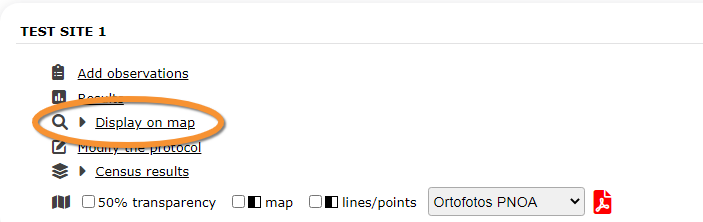
STOC Sites. Display on map.
For the selected site, see the area to survey on a map. To know how to navigate the map, refer to wiki section Web interface > Navigating the map.
Visit wiki section Web interface > Protocols > Preparation and data > Display on map for details.
STOC Sites Modify the protocol

STOC Sites. Modify the protocol.
Modify the site to survey.
Visit wiki section Web interface > Protocols > Preparation and data > Modify the protocol for details.
STOC Sites Census results

STOC Sites. Census results.
Click on Census results to see all available years with data for this site (see image Protocol. Selecting year to visualise). Select the one to visualise.

Visit wiki section Web interface > Protocols > Preparation and data > Census protocol for details.
STOC Sites Download map

STOC Sites. Download map.
Download maps ready to print.
Visit wiki section Web interface > Protocols > Preparation and data > Download map for details.
STOC Sites Check data
File:STOC sites web check data.png

STOC Sites. Check data.
Calendar showing visits to different sites and number of species detected.
Visit wiki section Web interface > Protocols > Preparation and data > Check data for details.
STOC Sites Map

STOC Sites. Map.
Map and statistics for site.
Visit wiki section Web interface > Protocols > Preparation and data > Map for details.