QR Code management: Difference between revisions
| Line 112: | Line 112: | ||
<b>3. Details</b><br/> | <b>3. Details</b><br/> | ||
See details of the QR code and generate the code if necessary. <br/> | See details of the QR code and generate the code if necessary. <br/> | ||
<br/> | |||
<center> | |||
<div class="toc" style="border-radius:5px;background-color:#ffffff;padding-left:8px;padding-right:8px;width:600px;"> | |||
[[File:QR details.png|600px|link=https://help.biolovision.net/images/1/19/QR_details.png]] | |||
<div class="toc" style="border-radius:5px;padding-left:15px;text-align:left; font-size:12px;width:575px;"> | |||
'''QR Code details.''' | |||
</div> | |||
<p style="color:black;font-size:12px;padding-left:5px;text-align:left;column-count:1;padding-right:5px;"> | |||
'''1. Title 1:''' Text 1 <br/> | |||
'''2. Title 2:''' Text 2 <br/> | |||
'''3. Title 3:''' Text 3 <br/> | |||
</p> | |||
</div> | |||
</center> | |||
<br/> | |||
<br/> | <br/> | ||
Revision as of 14:52, 31 July 2025
Administration > QR code management
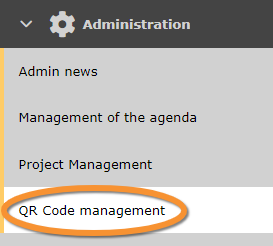
QR Code management.
Create a QR code to share observation of an area with other naturalists regardless if they are NaturaList users.
Places and QR code creation
See existing QR codes.
|
QR code creation menu 1.
1. Search
ID: Number automatically assigned to this QR entry.
|


QR code creation menu.
1. Search
2. Page display
3. Details
4. Edit
5. Delete
ID: Number automatically assigned to this QR entry.
Name: Name given to this QR.
Radius: Distance from a central point whithin which the QR applies.
Number of days: Last number of days the QR shows observations.
Project/partner: Project/partner, if any
1. Search
Reduce list by typing the name of a site, user, or part of it, and click SEARCH.
When a filter is applied and you want to deactivate it, click on DISPLAY ALL to see the full list.

2. Page and items
Select page number and/or number of items per page. Count indicate the total of items found for the search.
3. Details
See details of the QR code and generate the code if necessary.
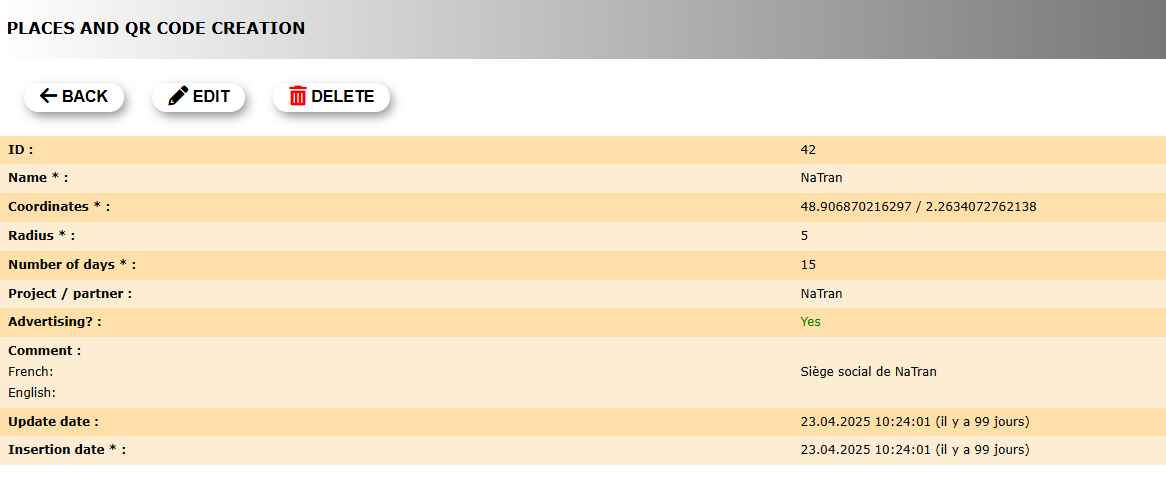
QR Code details.
1. Title 1: Text 1
2. Title 2: Text 2
3. Title 3: Text 3
To generate a QR code:
1. Select size of QR code from the expandable menu.
2. Check the cell Transparent background? if interested.
3. Check guidelines if necessary.
4. Generate the code.
5. Download NaturaList code to place it next to your QR.
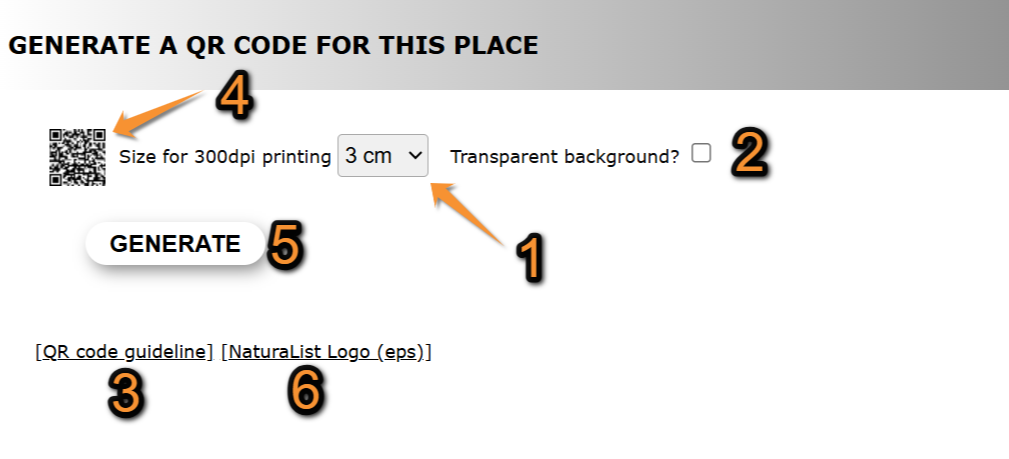
Generate QR code.
1. Choose size.
2. Choose transparency.
3. Check guidelines.
4. Generate the code.
5. Add NaturaList code.
4. Edit
5. Delete
6. New
7. Export
8. Export views
QR code group
Advertising
Add advertising to places
Partner
Add partners to places