Ephemeris: Difference between revisions
No edit summary |
No edit summary |
||
| Line 40: | Line 40: | ||
<center> | <center> | ||
<div class="toc" style="border-radius:5px;background-color:#ffffff;padding-left:8px;padding-right:8px;width: | <div class="toc" style="border-radius:5px;background-color:#ffffff;padding-left:8px;padding-right:8px;width:500px;"> | ||
[[File:Ephemerides location.png| | [[File:Ephemerides location.png|500px|link=https://help.biolovision.net/images/f/fa/Ephemerides_location.png]] | ||
<div class="toc" style="border-radius:5px;padding-left:15px;text-align:left; font-size:12px;width: | <div class="toc" style="border-radius:5px;padding-left:15px;text-align:left; font-size:12px;width:475px;"> | ||
'''Ephemerides. Change location and date.''' | '''Ephemerides. Change location and date.''' | ||
</div> | </div> | ||
Revision as of 21:28, 12 December 2024
Access through Main menu > Information > Tools > Calculate ephemerides.
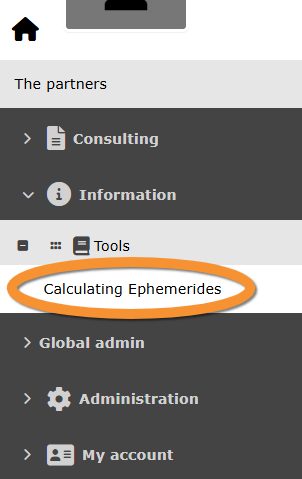
Calculating ephemerides. Access.
See information about sun and moon at a given location, or find information about moon phases ona date of your choice.
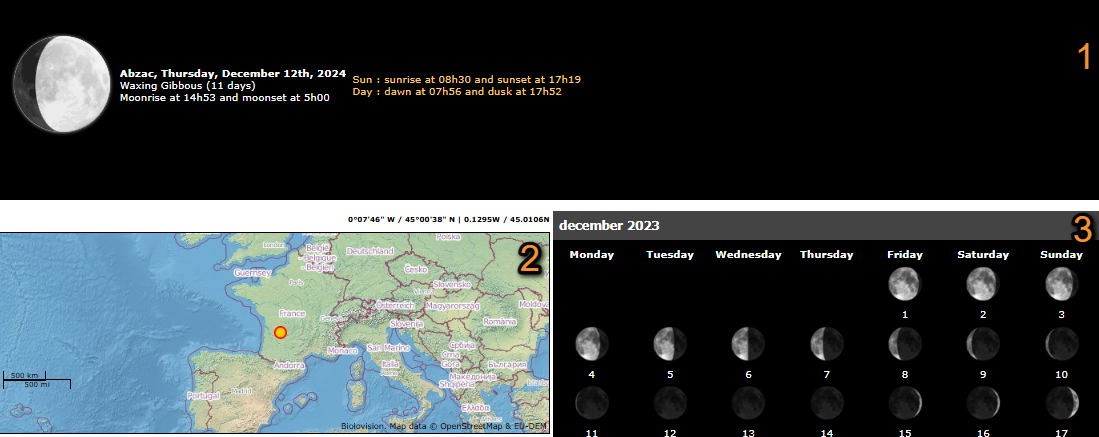
Calculating ephemerides.
1. General Ephemerides information: Information about sun and moon, rise, set and moon phase at the location indicated at the map below. Section identical to that on the dashboard.
2. Date and location: Location and date the ephemerides shown refers to (see below).
3. Moon phases: Moon phases for the full month indicated on top and at the location indicated on the map.
- 2. Date and location
- 2. Date and location
1. Change location the epehemrides refers to by clicking and dragging the map.
2. Change date the ephemerides refers to by selecting on the expandable calendar.
3. Press CALCULATE to confirm your choices.

Ephemerides. Change location and date.
1. Change location
2. Change date
3. Confirm changes