QR Code management: Difference between revisions
Jump to navigation
Jump to search
| Line 31: | Line 31: | ||
</div> | </div> | ||
<p style="color:black;font-size:12px;padding-left:30px;text-align:left;column-count:2;"> | <p style="color:black;font-size:12px;padding-left:30px;text-align:left;column-count:2;"> | ||
<b>1.</b> [[QR | <b>1.</b> [[QR Code management#Search 1|Search]] <br /> | ||
<b>2.</b> [[QR | <b>2.</b> [[QR Code management#Page display 1|Page display]] <br/> | ||
<b>3.</b> [[QR | <b>3.</b> [[QR Code management#Details 1|Details]] <br /> | ||
<b>4.</b> [[QR | <b>4.</b> [[QR Code management#Edit 1|Edit]] <br/> | ||
<b>5.</b> [[QR | <b>5.</b> [[QR Code management#Delete 1|Delete]] <br/> | ||
</p> | </p> | ||
</div> | </div> | ||
Revision as of 23:53, 30 July 2025
Administration > QR code management
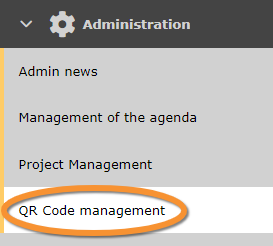
QR Code management.
Create a QR code to share observation of an area with other naturalists regardless if they are NaturaList users.
Places and QR code creation
See existing QR codes.

1. Search
2. Page display
3. Details
4. Edit
5. Delete
QR code group
Advertising
Add advertising to places
Partner
Add partners to places