Corncrake points: Difference between revisions
Created page with "CREX <br/> <br/> Access your protocol from Menu > Take part > All my protocol > Corncrake. <br/> For other options, visit wiki section Web interface > Local portal > Protocols > Accessing protocols. <br/> <br/> <center> <div class="toc" style="border-radius:5px;background-color:#ffffff;padding-left:8px;padding-right:8px;padding-bottom:8px;width:300px;"> File:CC_web_menu.png|300px|link=https://help.biolovision.net/images/5/55/CC_w..." |
No edit summary |
||
| Line 23: | Line 23: | ||
<div class="mw-collapsible-content" style="width:350px;background-color:#f7f7f7;"> <!-- I també cal canviar la llargada aquí --> | <div class="mw-collapsible-content" style="width:350px;background-color:#f7f7f7;"> <!-- I també cal canviar la llargada aquí --> | ||
<ol> | <ol> | ||
1 [[Corncrake#Preparation_and_data|Preparation and data]] <br /> | 1 [[Corncrake points#Preparation_and_data|Preparation and data]] <br /> | ||
<ol>1.1 [[Corncrake#Add_observations|Add observations]]<br/> | <ol>1.1 [[Corncrake points#Add_observations|Add observations]]<br/> | ||
<ol>11.1.1 [[Corncrake#Starting_the_protocol|Starting the protocol]]<br/> | <ol>11.1.1 [[Corncrake points#Starting_the_protocol|Starting the protocol]]<br/> | ||
1.1.2 [[Corncrake#Entering_observations|Entering observations]]<br/> | 1.1.2 [[Corncrake points#Entering_observations|Entering observations]]<br/> | ||
1.1.3 [[Corncrake#Ending_the_protocol|Ending the protocol]]<br/></ol></ol></ol> | 1.1.3 [[Corncrake points#Ending_the_protocol|Ending the protocol]]<br/></ol></ol></ol> | ||
<ol><ol>1.2 [[Corncrake#Results|Results]]<br/> | <ol><ol>1.2 [[Corncrake points#Results|Results]]<br/> | ||
1.3 [[Corncrake#Display_on_map|Display on map]]<br/> | 1.3 [[Corncrake points#Display_on_map|Display on map]]<br/> | ||
1.4 [[Corncrake#Modify_the_protocol|Modify the protocol]]<br/> | 1.4 [[Corncrake points#Modify_the_protocol|Modify the protocol]]<br/> | ||
1.5 [[Corncrake#Census_results|Census results]]<br/> | 1.5 [[Corncrake points#Census_results|Census results]]<br/> | ||
1.6 [[Corncrake#Download_map|Download map]]</ol></ol> | 1.6 [[Corncrake points#Download_map|Download map]]</ol></ol> | ||
<ol> 2 [[Corncrake#Check_data|Check data]]<br/> | <ol> 2 [[Corncrake points#Check_data|Check data]]<br/> | ||
3 [[Corncrake#Map|Map]]<br/> </ol> | 3 [[Corncrake points#Map|Map]]<br/> </ol> | ||
</div> | </div> | ||
</div> | </div> | ||
| Line 64: | Line 64: | ||
<div class="mw-collapsible-content" style="width:350px;background-color:#f7f7f7;"> <!-- I també cal canviar la llargada aquí --> | <div class="mw-collapsible-content" style="width:350px;background-color:#f7f7f7;"> <!-- I també cal canviar la llargada aquí --> | ||
<ol> | <ol> | ||
1.1 [[Corncrake#Add_observations|Add observations]]<br/> | 1.1 [[Corncrake points#Add_observations|Add observations]]<br/> | ||
<ol>1.1.1 [[Corncrake#Starting_the_protocol|Starting the protocol]]<br/> | <ol>1.1.1 [[Corncrake points#Starting_the_protocol|Starting the protocol]]<br/> | ||
1.1.2 [[Corncrake#Entering_observations|Entering observations]]<br/> | 1.1.2 [[Corncrake points#Entering_observations|Entering observations]]<br/> | ||
1.1.3 [[Corncrake#Ending_the_protocol|Ending the protocol]]<br/></ol></ol> | 1.1.3 [[Corncrake points#Ending_the_protocol|Ending the protocol]]<br/></ol></ol> | ||
<ol>1.2 [[Corncrake#Results|Results]]<br/> | <ol>1.2 [[Corncrake points#Results|Results]]<br/> | ||
1.3 [[Corncrake#Display_on_map|Display on map]]<br/> | 1.3 [[Corncrake points#Display_on_map|Display on map]]<br/> | ||
1.4 [[Corncrake#Modify_the_protocol|Modify the protocol]]<br/> | 1.4 [[Corncrake points#Modify_the_protocol|Modify the protocol]]<br/> | ||
1.5 [[Corncrake#Census_results|Census results]]<br/> | 1.5 [[Corncrake points#Census_results|Census results]]<br/> | ||
1.6 [[Corncrake#Download_map|Download map]]</ol> | 1.6 [[Corncrake points#Download_map|Download map]]</ol> | ||
</div> | </div> | ||
</div> | </div> | ||
| Line 115: | Line 115: | ||
<br/> | <br/> | ||
[[Corncrake#Add observations|[Top to Add observations]]] <br/> | [[Corncrake points#Add observations|[Top to Add observations]]] <br/> | ||
[[Corncrake#Preparation and data|[Top to Preparation and data]]] <br/> | [[Corncrake points#Preparation and data|[Top to Preparation and data]]] <br/> | ||
[[#top|[Back to Corncrake protocol]]]<br/> | [[#top|[Back to Corncrake protocol]]]<br/> | ||
<br/> | <br/> | ||
| Line 154: | Line 154: | ||
<br/> | <br/> | ||
[[Corncrake#Add observations|[Top to Add observations]]] <br/> | [[Corncrake points#Add observations|[Top to Add observations]]] <br/> | ||
[[Corncrake#Preparation and data|[Top to Preparation and data]]] <br/> | [[Corncrake points#Preparation and data|[Top to Preparation and data]]] <br/> | ||
[[#top|[Back to Corncrake protocol]]]<br/> | [[#top|[Back to Corncrake protocol]]]<br/> | ||
<br/> | <br/> | ||
| Line 186: | Line 186: | ||
<br /> | <br /> | ||
[[Corncrake#Add observations|[Top to Add observations]]] <br/> | [[Corncrake points#Add observations|[Top to Add observations]]] <br/> | ||
[[Corncrake#Preparation and data|[Top to Preparation and data]]] <br/> | [[Corncrake points#Preparation and data|[Top to Preparation and data]]] <br/> | ||
[[#top|[Back to Corncrake protocol]]]<br/> | [[#top|[Back to Corncrake protocol]]]<br/> | ||
<br/> | <br/> | ||
| Line 213: | Line 213: | ||
<br/> | <br/> | ||
[[Corncrake#Preparation and data|[Top to Preparation and data]]] <br/> | [[Corncrake points#Preparation and data|[Top to Preparation and data]]] <br/> | ||
[[#top|[Back to Corncrake protocol]]]<br/> | [[#top|[Back to Corncrake protocol]]]<br/> | ||
<br/> | <br/> | ||
| Line 239: | Line 239: | ||
<br/> | <br/> | ||
[[Corncrake#Preparation and data|[Top to Preparation and data]]] <br/> | [[Corncrake points#Preparation and data|[Top to Preparation and data]]] <br/> | ||
[[#top|[Back to Corncrake protocol]]]<br/> | [[#top|[Back to Corncrake protocol]]]<br/> | ||
<br/> | <br/> | ||
| Line 265: | Line 265: | ||
<br/> | <br/> | ||
[[Corncrake#Preparation and data|[Top to Preparation and data]]] <br/> | [[Corncrake points#Preparation and data|[Top to Preparation and data]]] <br/> | ||
[[#top|[Back to Corncrake protocol]]]<br/> | [[#top|[Back to Corncrake protocol]]]<br/> | ||
<br/> | <br/> | ||
| Line 291: | Line 291: | ||
<br/> | <br/> | ||
[[Corncrake#Preparation and data|[Top to Preparation and data]]] <br/> | [[Corncrake points#Preparation and data|[Top to Preparation and data]]] <br/> | ||
[[#top|[Back to Corncrake protocol]]]<br/> | [[#top|[Back to Corncrake protocol]]]<br/> | ||
<br/> | <br/> | ||
| Line 317: | Line 317: | ||
<br/> | <br/> | ||
[[Corncrake#Preparation and data|[Top to Preparation and data]]] <br/> | [[Corncrake points#Preparation and data|[Top to Preparation and data]]] <br/> | ||
[[#top|[Back to Corncrake protocol]]]<br/> | [[#top|[Back to Corncrake protocol]]]<br/> | ||
<br/> | <br/> | ||
| Line 343: | Line 343: | ||
<br/> | <br/> | ||
[[Corncrake#Check data|[Top to Check data]]] <br/> | [[Corncrake points#Check data|[Top to Check data]]] <br/> | ||
[[#top|[Back to Corncrake protocol]]]<br/> | [[#top|[Back to Corncrake protocol]]]<br/> | ||
<br/> | <br/> | ||
| Line 369: | Line 369: | ||
<br/> | <br/> | ||
[[Corncrake#Map|[Top to Map]]] <br/> | [[Corncrake points#Map|[Top to Map]]] <br/> | ||
[[#top|[Top to Corncrake protocol]]]<br/> | [[#top|[Top to Corncrake protocol]]]<br/> | ||
[[Protocols_web|[Back to Protocols]]]<br/> | [[Protocols_web|[Back to Protocols]]]<br/> | ||
<br/> | <br/> | ||
Revision as of 15:02, 3 September 2026
CREX
Access your protocol from Menu > Take part > All my protocol > Corncrake.
For other options, visit wiki section Web interface > Local portal > Protocols > Accessing protocols.
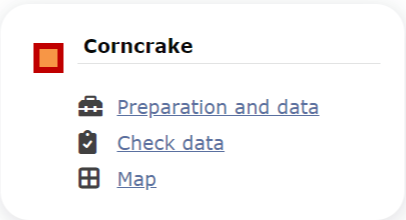
Corncrake. Menu.
Corncrake
-
1 Preparation and data
- 1.1 Add observations
- 11.1.1 Starting the protocol
1.1.2 Entering observations
1.1.3 Ending the protocol
- 1.2 Results
1.3 Display on map
1.4 Modify the protocol
1.5 Census results
1.6 Download map
- 2 Check data
3 Map
CREX Preparation and data
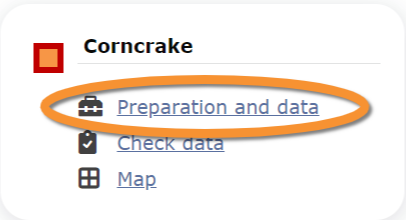
Corncrake. Preparation and data.
Lists all sites available to the current profile and allows entering observations, downloading printable maps and seeing results.
1 Preparation and data
-
1.1 Add observations
- 1.1.1 Starting the protocol
1.1.2 Entering observations
1.1.3 Ending the protocol
- 1.2 Results
1.3 Display on map
1.4 Modify the protocol
1.5 Census results
1.6 Download map
CREX Add observations
Click on Add observations (see image below) in the site you need to enter data to.

Corncrake. Add observations.
CREX Starting the protocol
Before entering observations, it is required to enter general parameters regarding the protocol. Parameters are protocol specific. Fields marked with an asterisk are mandatory.
See wiki section Web interface > Protocols > Preparation and data > Add observations > Starting the protocol for details.
When done,
Click CONTINUE WITH THE BASIC LIST to start entering observations using a basic list.
Click CONTINUE WITH THE EXTENDED LIST to start entering observations using an extended list.
Click NO SPECIES WERE SEEN to end protocol if your survey did not provide any data.
[Top to Add observations]
[Top to Preparation and data]
[Back to Corncrake protocol]
CREX Entering observations
This protocol requires indicating the position of individuals observed.
See Web interface > Local portals > Protocols > Preparation and data > Add observations > Entering observations > Position of individuals for more information.
To enter observations:
1. Select atlas code.
2. Position the observation on the map. Each sighting is indicated with a different point colour.
3. Scroll down to modify data or enter details of observation. Note dot colours match those in the map above.
4. Open panel to enter additional information.
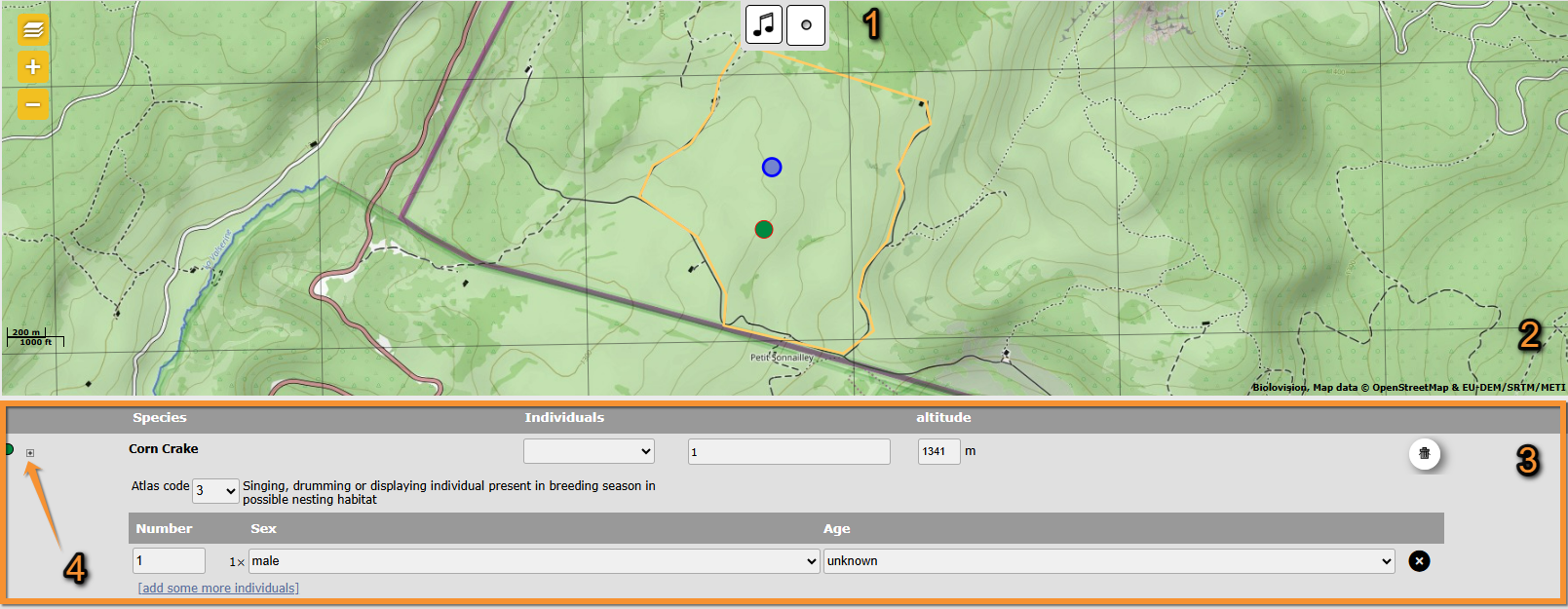
Corncrake. Entering observations.
1. Atlas code: Click on icons to select atlas code of observation.
2. Position: Click at sighting's position. Note active position highlighted in blue.
3. Add information: Add, or modify, details.
4. Additional information: Open panel to add additional information.
[Top to Add observations]
[Top to Preparation and data]
[Back to Corncrake protocol]
CREX Ending the protocol
Click on I RECORDED ALL SPECIES OF THE PROGRAME to end the count.
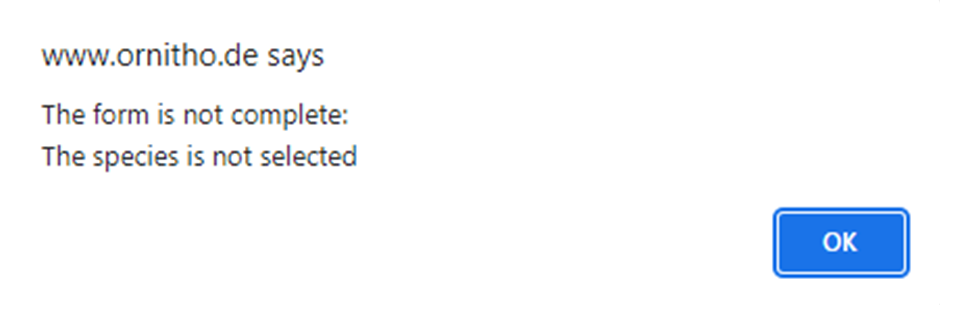
A green badge at the top will indicate your data has been saved. If there is some problem with your data, an error message will prevent you from continuing.


See wiki section Web interface > Protocols > Preparation and data > Add observations > Ending the protocol for more information.
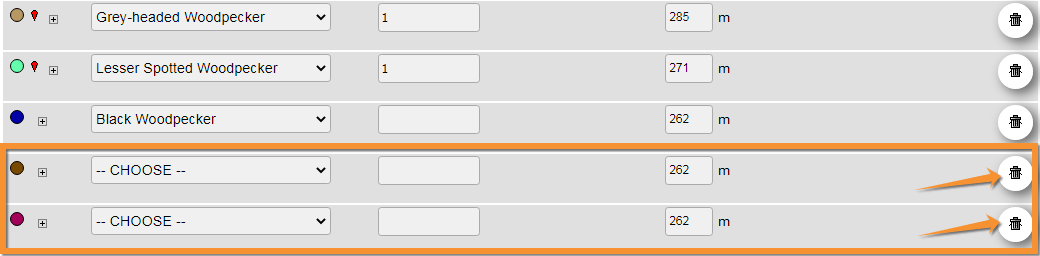
In order to submit your data properly, delete all empty entries in the list. Otherwise, you will see an error message preventing you to continue.
[Top to Add observations]
[Top to Preparation and data]
[Back to Corncrake protocol]
CREX Results

Corncrake. Results.
See some statistics about your surveys results.
Visit wiki section Web interface > Protocols > Preparation and data > Results for details.
[Top to Preparation and data]
[Back to Corncrake protocol]
CREX Display on map
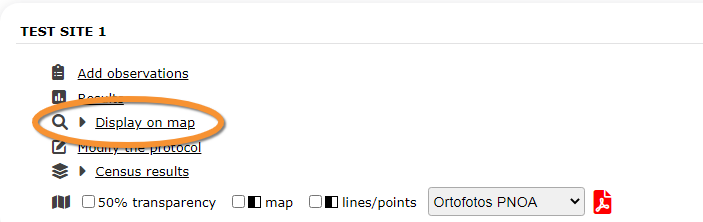
Corncrake. Display on map.
For the selected site, see the area to survey on a map. To know how to navigate the map, refer to wiki section Web interface > Navigating the map.
Visit wiki section Web interface > Protocols > Preparation and data > Display on map for details.
[Top to Preparation and data]
[Back to Corncrake protocol]
CREX Modify the protocol

Corncrake. Modify the protocol.
Modify the site to survey.
Visit wiki section Web interface > Protocols > Preparation and data > Modify the protocol for details.
[Top to Preparation and data]
[Back to Corncrake protocol]
CREX Census results

Corncrake. Census results.
Click on Census results to see all available years with data for this site (see image Protocol. Selecting year to visualise). Select the one to visualise.

Visit wiki section Web interface > Protocols > Preparation and data > Census protocol for details.
[Top to Preparation and data]
[Back to Corncrake protocol]
CREX Download map

Corncrake. Download map.
Download maps ready to print.
Visit wiki section Web interface > Protocols > Preparation and data > Download map for details.
[Top to Preparation and data]
[Back to Corncrake protocol]
CREX Check data
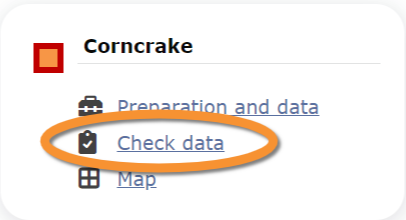
Corncrake. Check data.
Calendar showing visits to different sites and number of species detected.
Visit wiki section Web interface > Protocols > Preparation and data > Check data for details.
[Top to Check data]
[Back to Corncrake protocol]
CREX Map

Corncrake. Map.
Map and statistics for site.
Visit wiki section Web interface > Protocols > Preparation and data > Map for details.
[Top to Map]
[Top to Corncrake protocol]
[Back to Protocols]