Translations:Getting started NaturaList/90/en: Difference between revisions
Jump to navigation
Jump to search
Importing a new version from external source |
Importing a new version from external source |
||
| Line 1: | Line 1: | ||
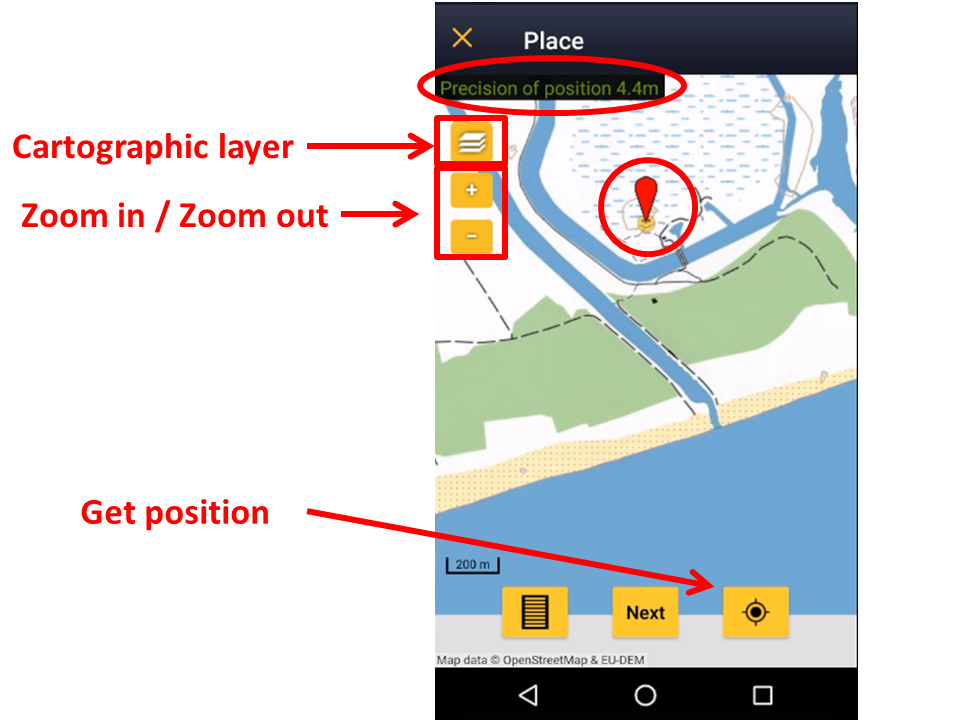
Choose from the list the cartographic layer that will appear by default. While entering data, you can always choose another one from those available according to the species list of your choice (see image | Choose from the list the cartographic layer that will appear by default. While entering data, you can always choose another one from those available according to the [[Getting_started_NaturaList#Choice_of_species|species list]] of your choice (see image [[Media:Navigating the map.png|Navigating the map]] as an example).<br /> | ||
<br /> | <br /> | ||
Latest revision as of 20:07, 6 March 2023
Choose from the list the cartographic layer that will appear by default. While entering data, you can always choose another one from those available according to the species list of your choice (see image Navigating the map as an example).