Protocols
Protocols are standardised ways of collecting data. The methodology to follow depends on the study's goal. A country administrator will grant you access if you meet certain criteria. Not all protocols are available in all countries. See which protocols are available in which country at.... and see which criteria at....
If you have access to protocols, protocol settings will appear at Preferences (see image Protocols as an example), and you will access the protocol through the "Submitting data" menu (see image Protocols. Main menu as an example).


Protocol settings
This section will only appear if you have access to country-specific protocols (see image Protocols).

Territory mapping
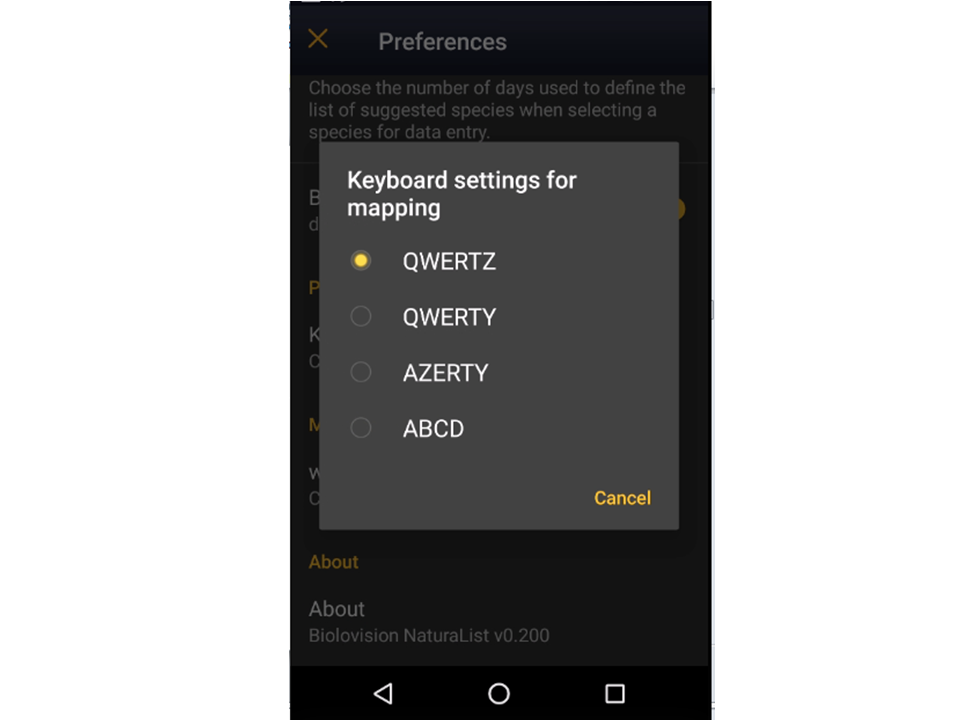
Keyboard settings for mapping
Choose one of the options to select the configuration of your keyboard (see image Keyboard configuration for mapping).

Waterbird census
Open the menu as for Submitting records and choose Waterbird census (see image below).

Start of list
Enter general information before starting the count (see image). Fields marked with an asterisk are mandatory.

- Comment
You may enter a comment if you find it appropiate.
- Important changes
- Additional observer
Indicate if you are accompanied by someone whose observations are also recorded.
- Count type
Tick roost count if you are counting roosting birds, or during day otherwise.
- Count method
Indicate if you are surveying from the ground, the air, the water, a different way, or it is unknown.
- Optical equipment
Indicate which equipment you are using for the survey, if any. Note you can only choose one option.
- Coverage
- Water level
Indicate the water level.
- Visibility
Indicate the approximate visibility.
- Waves
- Conditions in general
Choose how are surveying conditions overaall regarding weather and perturbances, and indicate on next section the reason but any but good conditions.
- Reason(s) for moderate / bad conditions
If general conditions indicated above are noot good, click the yellow field to open and expandable menu and choose the reason (see image below). Only one option is possible.

- Additional observers
Indicate if other oservers participated in the data collection.
- Important changes since last count?
Indica if there has been any major change since your previous count.
- Record the trace
Tick if you want NaturaList to record your track.
- Hide all records from the public
Tick if you want to keep your records privately. This will not prevent administrators to see them, but other users of NaturaList will not do.
- No species were seen
Tick if your survey did not provide any data. Surveys with no species are also important results! It will mean you followed the established methodology, and therefore your survey is valid, but no birds were present. They can indicate major population changes and are of extreme importance for conservation purposes.
|
Surveys with no species are also important results! Please submit them. It will mean you followed the established methodology but no birds were present. It can be due to methodology, perturbance, pollution or other major population changes and may be of extreme importance for conservation purposes. |
Click Next when done.