Translations:Getting started NaturaList/95/en
Jump to navigation
Jump to search
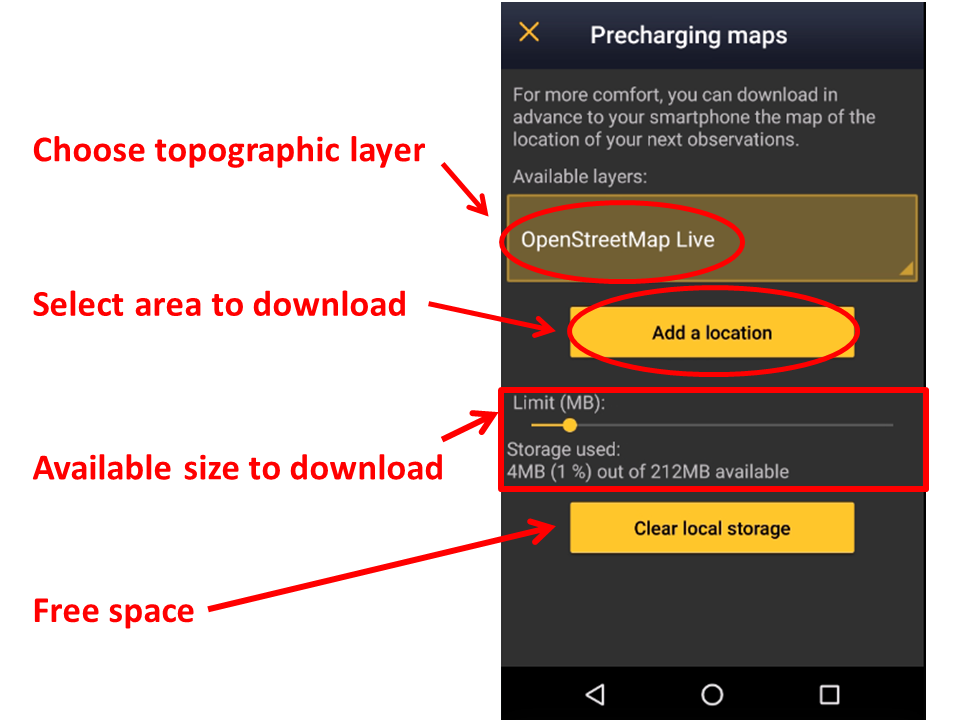
1: Click on the Available layers to open an expandable menu with all possible layers.
Slide bar to determine how much of your phone’s memory you want to dedicate to downloaded maps, and see underneath which percentage of the assigned amount is already occupied (see image Offline maps). Note the maximum possible amount is 2GB (due to European legislation regarding maps) and does not take into account how much space is available in your phone (go to your phone settings to find out).