Point count (Admin): Difference between revisions
No edit summary |
|||
| Line 8: | Line 8: | ||
<div class="toc" style="width:350px;"> <!-- La llargada s'ha de canviar aquí --> | <div class="toc" style="width:350px;"> <!-- La llargada s'ha de canviar aquí --> | ||
<div class="mw-collapsible mw-collapsed" data-expandtext="Show" data-collapsetext="Hide" style="width:300px;margin-bottom:0px;margin-top:0px;background-color:#f7f7f7;"> | <div class="mw-collapsible mw-collapsed" data-expandtext="Show" data-collapsetext="Hide" style="width:300px;margin-bottom:0px;margin-top:0px;background-color:#f7f7f7;"> | ||
''' | '''11 Point count''' | ||
<div class="mw-collapsible-content" style="width:350px;background-color:#f7f7f7;"> <!-- I també cal canviar la llargada aquí --> | <div class="mw-collapsible-content" style="width:350px;background-color:#f7f7f7;"> <!-- I també cal canviar la llargada aquí --> | ||
<ol> | <ol> | ||
11.1[[Point count (Admin)#Preparation_and_data| Preparation and data]] <br /> | |||
11.2[[Point count (Admin)#Sites| Sites]]<br /> | |||
11.3[[Point count (Admin)#User/Site| User/Site]]<br /> | |||
11.4[[Point count (Admin)#Settings| Settings]] <br /> | |||
<ol> | <ol> 11.4.1[[Point count (Admin)#Species_list| Species list]]<br /> | ||
11.4.2[[Point count (Admin)#Parameters_describing_the_protocol| Parameters describing the protocol]]<br /> | |||
11.4.3[[Point count (Admin)#Parameters| Parameters]]<br /> </ol></ol> | |||
<ol> | <ol> 11.5[[Point count (Admin)#Check_data| Check Data]]<br /> | ||
11.6[[Point count (Admin)#Report| Report]]<br /> | |||
11.7[[Point count (Admin)#Map| Map]]<br /> </ol> | |||
</div> | </div> | ||
</div> | </div> | ||
Revision as of 17:28, 27 December 2023
POINT_COUNT

11 Point count
-
11.1 Preparation and data
11.2 Sites
11.3 User/Site
11.4 Settings
- 11.4.1 Species list
11.4.2 Parameters describing the protocol
11.4.3 Parameters
- 11.5 Check Data
11.6 Report
11.7 Map
POINT COUNT Preparation and data

Identical section to the one available to registered users with rights to the Point count. See wiki section Web interface > Protocols > Point count > Preparation and data for more information.
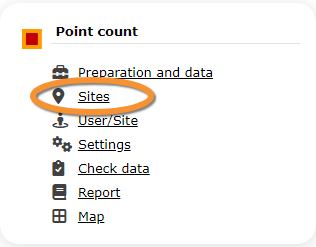
POINT COUNT Sites
|
CREATE A NEW SITE:
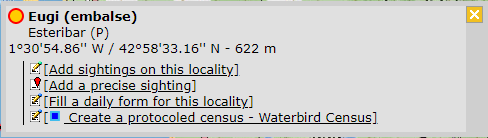
or through Menu > Administration > Protocol administration > Point count > Sites> +NEW button 2. Select new site as if Submitting records 3. Choose Create a protocoled census -Point count 4. Name the new site 5. Draw points or import shapefile 6. SAVE |

List of all existing sites allowing a Point count.
Visit wiki section Web interface > Protocols > Sites for more information.
POINT COUNT User/Site

From the Point count menu, select User / Site to assign users to study sites.
Visit wiki section Web interface > Protocols > User/Site
POINT COUNT Settings

Set protocol parameters. Parameters and protocol dependent, see section [[ ]] below for parameters refering to Private territory mapping.
Visit wiki section Web interface > Protocols > Settings for general information.
POINT COUNT Species list
Create a list of species to survey. This protocol only accepts a list.
Visit wiki section Web interface > Protocols > Settings > Species list on how to do it.
POINT COUNT Parameters describing the protocol
List of all parameters describing the protocol and their current status. Private territory mapping does not have any specific parameters; a surveyor will only be asked:
- Comments: Users may enter comment.
- Record the trace: Users can choose to record the trace. See wiki section Mobile interface > Protocols > Enter data > Start of list > record the trace for more information.
- Hide all records from the public: Users may keep observations private.
POINT COUNT Parameters
Shows the status of the Free area tool parameter for the Private territory mapping protocol.
Visit wiki section Web interface > Protocols > Settings > Parameters to learn more about protocol parameters.
POINT COUNT Check data

Visualise a summary of survey data.
Visit wiki section Web interface > Protocols > Check data for more information.
POINT COUNT Report

Visualise pooled results from surveys.
Visit wiki section Web interface > Protocols > Report for more information.
POINT COUNT Map



Display the area map by polygon, and see its statistics.
Visit wiki section Web interface > Protocol > Map for more information.