STOC Sites (Admin): Difference between revisions
Created page with "STOC_SITES <br/> <br/> Data can only be entered through NaturaList. <br/> <br/> Access your protocol from Menu > Take part > All my protocol > STOC Sites. <br/> For other options, visit wiki section Administrators > Protocols > Accessing protocols. <br/> <br/> <center> <div class="toc" style="border-radius:5px;background-color:#ffffff;width:300px;padding-left:8px;padding-right:8px;padding-bottom:8px;"> File:STOC sites admin menu..." |
No edit summary |
||
| (22 intermediate revisions by the same user not shown) | |||
| Line 1: | Line 1: | ||
STOC_SITES | STOC_SITES | ||
<br/> | <br/> | ||
<br/> | <br/> | ||
| Line 12: | Line 9: | ||
<center> | <center> | ||
<div class="toc" style="border-radius:5px;background-color:#ffffff;width:300px;padding-left:8px;padding-right:8px;padding-bottom:8px;"> | <div class="toc" style="border-radius:5px;background-color:#ffffff;width:300px;padding-left:8px;padding-right:8px;padding-bottom:8px;"> | ||
[[File:STOC sites admin menu.png|300px|link=https://help.biolovision.net/images/f/fb/STOC_sites_admin_menu.png]] | [[File:STOC sites admin menu.png|300px|link=https://help.biolovision.net/images/f/fb/STOC_sites_admin_menu.png|Click image to enlarge]] | ||
<div class="toc" style="border-radius:5px;width:285px;padding-left:15px;text-align:left; font-size:12px"> | <div class="toc" style="border-radius:5px;width:285px;padding-left:15px;text-align:left; font-size:12px"> | ||
'''STOC Sites. Admin menu.''' | '''STOC Sites. Admin menu.''' | ||
| Line 23: | Line 20: | ||
<div class="toc" style="width:350px;"> <!-- La llargada s'ha de canviar aquí --> | <div class="toc" style="width:350px;"> <!-- La llargada s'ha de canviar aquí --> | ||
<div class="mw-collapsible mw-collapsed" data-expandtext="Show" data-collapsetext="Hide" style="width:300px;margin-bottom:0px;margin-top:0px;background-color:#f7f7f7;"> | <div class="mw-collapsible mw-collapsed" data-expandtext="Show" data-collapsetext="Hide" style="width:300px;margin-bottom:0px;margin-top:0px;background-color:#f7f7f7;"> | ||
''' | '''STOC Sites''' | ||
<div class="mw-collapsible-content" style="width:350px;background-color:#f7f7f7;"> <!-- I també cal canviar la llargada aquí --> | <div class="mw-collapsible-content" style="width:350px;background-color:#f7f7f7;"> <!-- I també cal canviar la llargada aquí --> | ||
<ol> | <ol> | ||
1 [[STOC Sites (Admin)#Preparation_and_data| Preparation and data]] <br /> | |||
2 [[STOC Sites (Admin)#Sites| Sites]]<br /> | |||
3 [[STOC Sites (Admin)#User/Site| User/Site]]<br /> | |||
4 [[STOC Sites (Admin)#Settings| Settings]] <br /> | |||
5 [[STOC Sites (Admin)#Import a shapefile| Import a shapefile]]<br /> | |||
6 [[STOC Sites (Admin)#Check_data| Check Data]]<br /> | |||
7 [[STOC Sites (Admin)#Report| Report]]<br /> | |||
8 [[STOC Sites (Admin)#Map| Map]]<br /> </ol> | |||
</div> | </div> | ||
</div> | </div> | ||
| Line 46: | Line 43: | ||
<center> | <center> | ||
<div class="toc" style="border-radius:5px;background-color:#ffffff;width:300px;padding-left:8px;padding-right:8px;padding-bottom:8px;"> | <div class="toc" style="border-radius:5px;background-color:#ffffff;width:300px;padding-left:8px;padding-right:8px;padding-bottom:8px;"> | ||
[[File:STOC | [[File:STOC sites admin prep and data.png|300px|link=https://help.biolovision.net/images/0/09/STOC_sites_admin_prep_and_data.png|Click image to enlarge]] | ||
<div class="toc" style="border-radius:5px;width:285px;padding-left:15px;text-align:left; font-size:12px"> | <div class="toc" style="border-radius:5px;width:285px;padding-left:15px;text-align:left; font-size:12px"> | ||
'''STOC Sites. Preparation and data.''' | '''STOC Sites. Preparation and data.''' | ||
| Line 55: | Line 52: | ||
<br/> | <br/> | ||
Identical section to the one available to registered users with rights to STOC Sites protocols. See wiki section Web interface > Protocols > STOC Sites > [[STOC Sites#Preparation_and_data|Preparation and data]] for more information. <br/> | Identical section to the one available to registered users with rights to STOC Sites protocols. <br/> | ||
See wiki section Web interface > Protocols > STOC Sites > [[STOC Sites#Preparation_and_data|Preparation and data]] for more information. <br/> | |||
<br/> | <br/> | ||
[[STOC Sites_(Admin)#Preparation and data|[Top to Preparation and data]]] <br/> | [[STOC Sites_(Admin)#Preparation and data|[Top to Preparation and data]]] <br/> | ||
[[#top|[Back to STOC Sites | [[#top|[Back to STOC Sites protocol]]] <br/> | ||
<br/> | |||
<span id="Sites"></span> | <span id="Sites"></span> | ||
| Line 88: | Line 87: | ||
<center> | <center> | ||
<div class="toc" style="border-radius:5px;background-color:#ffffff;width:300px;padding-left:8px;padding-right:8px;padding-bottom:8px;"> | <div class="toc" style="border-radius:5px;background-color:#ffffff;width:300px;padding-left:8px;padding-right:8px;padding-bottom:8px;"> | ||
[[File:STOC sites admin sites.png|300px|link=https://help.biolovision.net/images/ | [[File:STOC sites admin sites.png|300px|link=https://help.biolovision.net/images/c/c8/STOC_sites_admin_sites.png|Click image to enlarge]] | ||
<div class="toc" style="border-radius:5px;width:285px;padding-left:15px;text-align:left; font-size:12px"> | <div class="toc" style="border-radius:5px;width:285px;padding-left:15px;text-align:left; font-size:12px"> | ||
'''STOC Sites. Sites.''' | '''STOC Sites. Sites.''' | ||
| Line 103: | Line 102: | ||
[[STOC Sites_(Admin)#Sites|[Top to Sites]]] <br/> | [[STOC Sites_(Admin)#Sites|[Top to Sites]]] <br/> | ||
[[#top|[Back to STOC Sites | [[#top|[Back to STOC Sites protocol]]] <br/> | ||
<br/> | |||
<span id="User/Site"></span> | <span id="User/Site"></span> | ||
| Line 112: | Line 112: | ||
<center> | <center> | ||
<div class="toc" style="border-radius:5px;background-color:#ffffff;width:300px;padding-left:8px;padding-right:8px;padding-bottom:8px;"> | <div class="toc" style="border-radius:5px;background-color:#ffffff;width:300px;padding-left:8px;padding-right:8px;padding-bottom:8px;"> | ||
[[File:STOC sites admin | [[File:STOC sites admin user_site.png|300px|link=https://help.biolovision.net/images/1/15/STOC_sites_admin_user_site.png|Click image to enlarge]] | ||
<div class="toc" style="border-radius:5px;width:285px;padding-left:15px;text-align:left; font-size:12px"> | <div class="toc" style="border-radius:5px;width:285px;padding-left:15px;text-align:left; font-size:12px"> | ||
'''STOC Sites. User/Site.''' | '''STOC Sites. User/Site.''' | ||
| Line 128: | Line 128: | ||
[[STOC Sites_(Admin)#User/Site|[Top to User/Site]]] <br/> | [[STOC Sites_(Admin)#User/Site|[Top to User/Site]]] <br/> | ||
[[#top|[Back to STOC Sites | [[#top|[Back to STOC Sites protocol]]] <br/> | ||
<br/> | |||
<span id="Settings"></span> | <span id="Settings"></span> | ||
| Line 137: | Line 138: | ||
<center> | <center> | ||
<div class="toc" style="border-radius:5px;background-color:#ffffff;padding-left:8px;padding-right:8px;padding-bottom:8px;width:300px;"> | <div class="toc" style="border-radius:5px;background-color:#ffffff;padding-left:8px;padding-right:8px;padding-bottom:8px;width:300px;"> | ||
[[File:STOC sites admin settings.png|300px|link=https://help.biolovision.net/images/d/d3/STOC_sites_admin_settings.png]] | [[File:STOC sites admin settings.png|300px|link=https://help.biolovision.net/images/d/d3/STOC_sites_admin_settings.png|Click image to enlarge]] | ||
<div class="toc" style="border-radius:5px;padding-left:15px;text-align:left; font-size:12px;width:285px;"> | <div class="toc" style="border-radius:5px;padding-left:15px;text-align:left; font-size:12px;width:285px;"> | ||
'''STOC Sites. Settings.''' | '''STOC Sites. Settings.''' | ||
| Line 226: | Line 227: | ||
[[STOC Sites_(Admin)#Settings|[Top to Settings]]] <br/> | [[STOC Sites_(Admin)#Settings|[Top to Settings]]] <br/> | ||
[[#top|[Back to STOC Sites | [[#top|[Back to STOC Sites protocol]]] <br/> | ||
<br/> | |||
<span id="Import a shapefile"></span> | <span id="Import a shapefile"></span> | ||
| Line 235: | Line 237: | ||
<center> | <center> | ||
<div class="toc" style="border-radius:5px;background-color:#ffffff;padding-left:8px;padding-right:8px;padding-bottom:8px;width:300px;"> | <div class="toc" style="border-radius:5px;background-color:#ffffff;padding-left:8px;padding-right:8px;padding-bottom:8px;width:300px;"> | ||
[[File:STOC sites admin import_shapefile.png|300px|link=https://help.biolovision.net/images/6/61/STOC_sites_admin_import_shapefile.png]] | [[File:STOC sites admin import_shapefile.png|300px|link=https://help.biolovision.net/images/6/61/STOC_sites_admin_import_shapefile.png|Click image to enlarge]] | ||
<div class="toc" style="border-radius:5px;padding-left:15px;text-align:left; font-size:12px;width:285px;"> | <div class="toc" style="border-radius:5px;padding-left:15px;text-align:left; font-size:12px;width:285px;"> | ||
'''STOC Sites. Import a shapefile.''' | '''STOC Sites. Import a shapefile.''' | ||
| Line 259: | Line 261: | ||
<center> | <center> | ||
<div class="toc" style="border-radius:5px;background-color:#ffffff;width:300px;padding-left:8px;padding-right:8px;padding-bottom:8px;"> | <div class="toc" style="border-radius:5px;background-color:#ffffff;width:300px;padding-left:8px;padding-right:8px;padding-bottom:8px;"> | ||
[[File:STOC sites admin check data.png|300px|link=https://help.biolovision.net/images/c/c3/STOC_sites_admin_check_data.png]] | [[File:STOC sites admin check data.png|300px|link=https://help.biolovision.net/images/c/c3/STOC_sites_admin_check_data.png|Click image to enlarge]] | ||
<div class="toc" style="border-radius:5px;width:285px;padding-left:15px;text-align:left; font-size:12px"> | <div class="toc" style="border-radius:5px;width:285px;padding-left:15px;text-align:left; font-size:12px"> | ||
'''STOC Sites. Check data.''' | '''STOC Sites. Check data.''' | ||
| Line 275: | Line 277: | ||
[[STOC Sites_(Admin)#Check data|[Top to Check data]]] <br/> | [[STOC Sites_(Admin)#Check data|[Top to Check data]]] <br/> | ||
[[#top|[Back to STOC Sites | [[#top|[Back to STOC Sites protocol]]] <br/> | ||
<br/> | |||
<span id="Report"></span> | <span id="Report"></span> | ||
| Line 284: | Line 287: | ||
<center> | <center> | ||
<div class="toc" style="border-radius:5px;background-color:#ffffff;width:300px;padding-left:8px;padding-right:8px;padding-bottom:8px;"> | <div class="toc" style="border-radius:5px;background-color:#ffffff;width:300px;padding-left:8px;padding-right:8px;padding-bottom:8px;"> | ||
[[File:STOC sites admin report.png|300px|link=https://help.biolovision.net/images/3/34/STOC_sites_admin_report.png]] | [[File:STOC sites admin report.png|300px|link=https://help.biolovision.net/images/3/34/STOC_sites_admin_report.png|Click image to enlarge]] | ||
<div class="toc" style="border-radius:5px;width:285px;padding-left:15px;text-align:left; font-size:12px"> | <div class="toc" style="border-radius:5px;width:285px;padding-left:15px;text-align:left; font-size:12px"> | ||
'''STOC Sites. Report.''' | '''STOC Sites. Report.''' | ||
| Line 300: | Line 303: | ||
[[STOC Sites_(Admin)#Report|[Top to Report]]] <br/> | [[STOC Sites_(Admin)#Report|[Top to Report]]] <br/> | ||
[[#top|[Back to STOC Sites | [[#top|[Back to STOC Sites protocol]]] <br/> | ||
<br/> | |||
<span id="Map"></span> | <span id="Map"></span> | ||
| Line 309: | Line 313: | ||
<center> | <center> | ||
<div class="toc" style="border-radius:5px;background-color:#ffffff;width:300px;padding-left:8px;padding-right:8px;padding-bottom:8px;"> | <div class="toc" style="border-radius:5px;background-color:#ffffff;width:300px;padding-left:8px;padding-right:8px;padding-bottom:8px;"> | ||
[[File:STOC sites admin map.png|300px|link=https://help.biolovision.net/images/c/ce/STOC_sites_admin_map.png]] | [[File:STOC sites admin map.png|300px|link=https://help.biolovision.net/images/c/ce/STOC_sites_admin_map.png|Click image to enlarge]] | ||
<div class="toc" style="border-radius:5px;width:285px;padding-left:15px;text-align:left; font-size:12px"> | <div class="toc" style="border-radius:5px;width:285px;padding-left:15px;text-align:left; font-size:12px"> | ||
'''STOC Sites. Map.''' | '''STOC Sites. Map.''' | ||
| Line 325: | Line 329: | ||
[[STOC Sites_(Admin)#Map|[Top to Map]]] <br/> | [[STOC Sites_(Admin)#Map|[Top to Map]]] <br/> | ||
[[#top|[Top to STOC Sites | [[#top|[Top to STOC Sites protocol]]]<br/> | ||
[[Protocol_management|[Back to Protocols management]]]<br/> | [[Protocol_management|[Back to Protocols management]]]<br/> | ||
<br/> | <br/> | ||
Latest revision as of 16:50, 28 October 2025
STOC_SITES
Access your protocol from Menu > Take part > All my protocol > STOC Sites.
For other options, visit wiki section Administrators > Protocols > Accessing protocols.
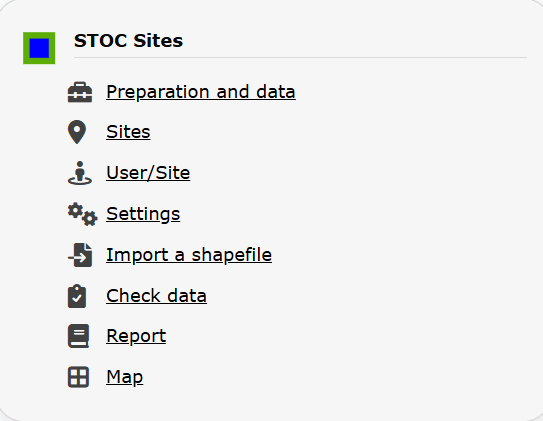
STOC Sites. Admin menu.
STOC Sites
-
1 Preparation and data
2 Sites
3 User/Site
4 Settings
5 Import a shapefile
6 Check Data
7 Report
8 Map
STOC_SITES Preparation and data
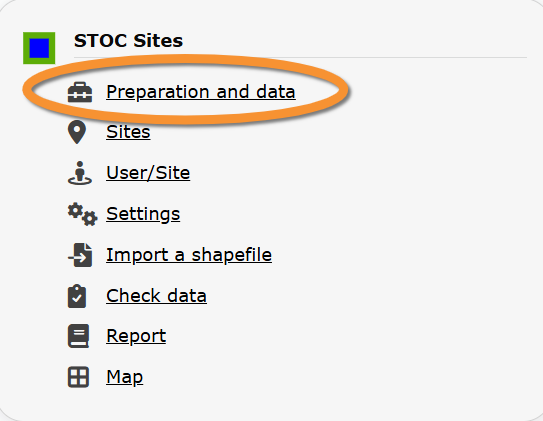
STOC Sites. Preparation and data.
Identical section to the one available to registered users with rights to STOC Sites protocols.
See wiki section Web interface > Protocols > STOC Sites > Preparation and data for more information.
[Top to Preparation and data]
[Back to STOC Sites protocol]
STOC_SITES Sites
CREATE A NEW SITE:
1. Directly by Transmit my sightings map
or
through Menu > Administration > Protocol administration > STOC Sites > Sites> +NEW button
2. Select new site as if Submitting records
3. Choose Create a protocoled census -STOC Sites
4. Name the new site
5. Draw points or import shapefile
6. SAVE
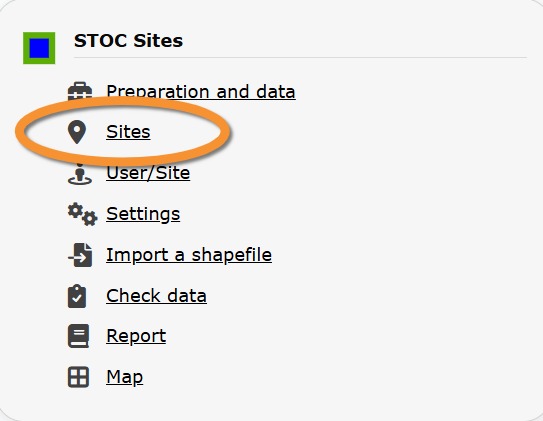
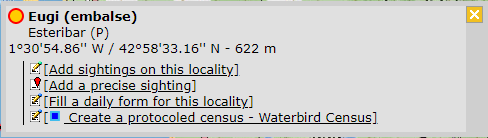



STOC Sites. Sites.
List of all existing sites allowing STOC Sites protocols.
Visit wiki section Administration > Protocol management > Sites for more information.
[Top to Sites]
[Back to STOC Sites protocol]
STOC_SITES User/Site

STOC Sites. User/Site.
From the menu, select User / Site to assign users to study sites.
Visit wiki section Administration > Protocol management > User/Site for more information.
[Top to User/Site]
[Back to STOC Sites protocol]
STOC_SITES Settings
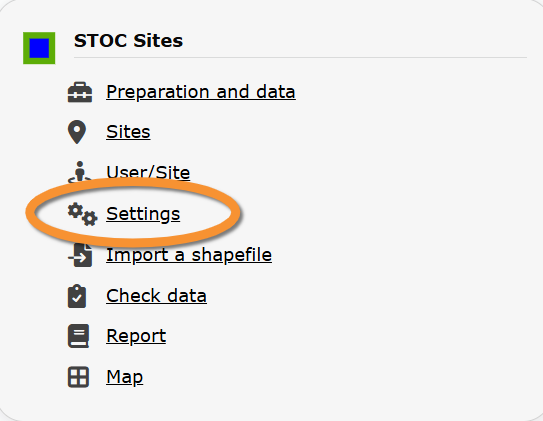
STOC Sites. Settings.
Set protocol parameters.
Visit wiki section Administration > Protocol management > Settings for details.
Parameters describing the protocol
Expand the table below to see all posible parameters and options available for the STOC Sites protocol. Use arrows on headers to alternate between ascending and descending alphabetical order.
| STOC Sites. Parameters. | ||||||||||
|---|---|---|---|---|---|---|---|---|---|---|
| Name | Description | Options | ||||||||
| Rain | Indicate if there is any rain. | No rain Weak rain |
||||||||
| Wind | Indicate if there is any wind. | No wind Weak wind |
||||||||
| Visibility | Indicate the approximate distance within which it is possible to identify species, or an overall description. | Good visibility Moderate visibility |
||||||||
| Cloud cover | Indicate if there are clouds. | 0-33% 33-66% |
||||||||
| Snow | Indicate the amount of snow. | No snow 0-1 cm |
||||||||
| Means of transport | ||||||||||
| Habitat | ||||||||||
[Top to Settings]
[Back to STOC Sites protocol]
STOC_SITES Import a shapefile
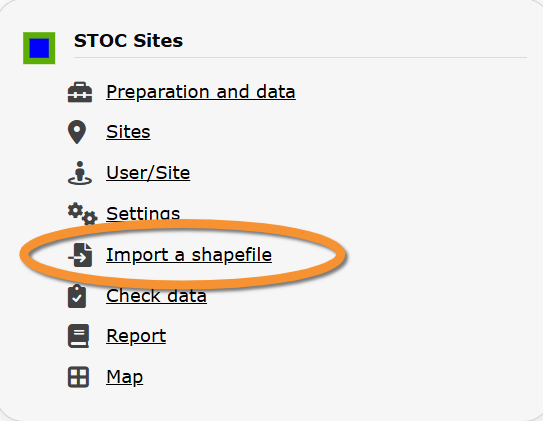
STOC Sites. Import a shapefile.
Import a shapefile with the study site and/or see all imports.
Visit wiki section Administration > Protocol management > Settings > Import a shapefile.
[Top to Import a shapefile]
[Back to STOC Sites protocols]
STOC_SITES Check data
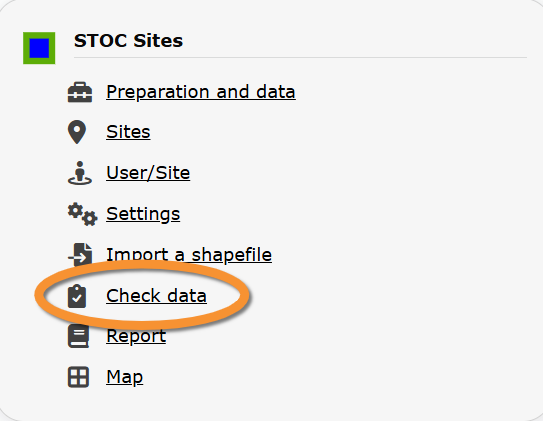
STOC Sites. Check data.
Visualise a summary of survey data.
Visit wiki section Administration > Protocol management > Check data for more information.
[Top to Check data]
[Back to STOC Sites protocol]
STOC_SITES Report
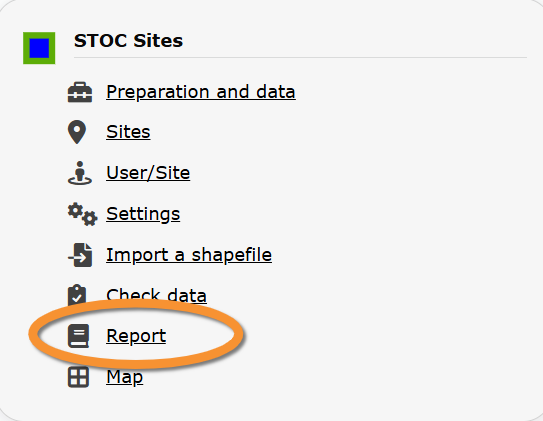
STOC Sites. Report.
Visualise pooled results from surveys.
Visit wiki section Administration > Protocol management > Report for more information.
[Top to Report]
[Back to STOC Sites protocol]
STOC_SITES Map
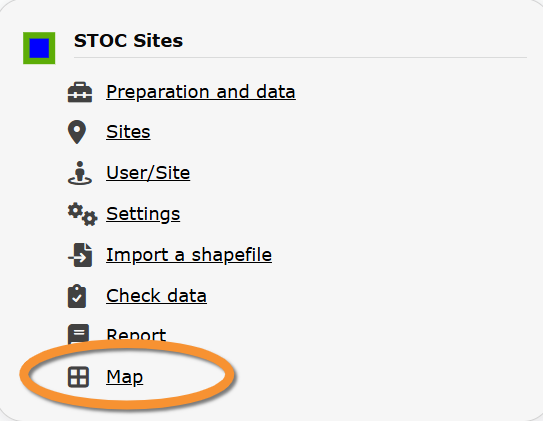
STOC Sites. Map.
Display the area map by polygon, and see its statistics.
Visit wiki section Administration > Protocol management > Map for more information.
[Top to Map]
[Top to STOC Sites protocol]
[Back to Protocols management]