SNSP (NL)
SNSP
25 Single nesting species
-
25.1 Start of list
25.2 Entering records
25.3 Ending the list
25.4 Editing records and/or protocols
25.5 Deleting records and/or protocols
25.6 Browsing records
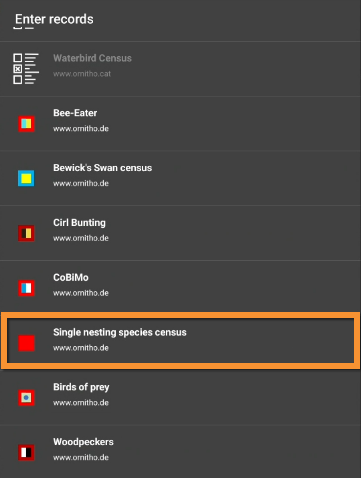
- Enter Single nesting species.
- Choose the site to survey, if more than one.
Open the menu as for Submitting records and choose Single nesting species (see image below).

Single nesting species.
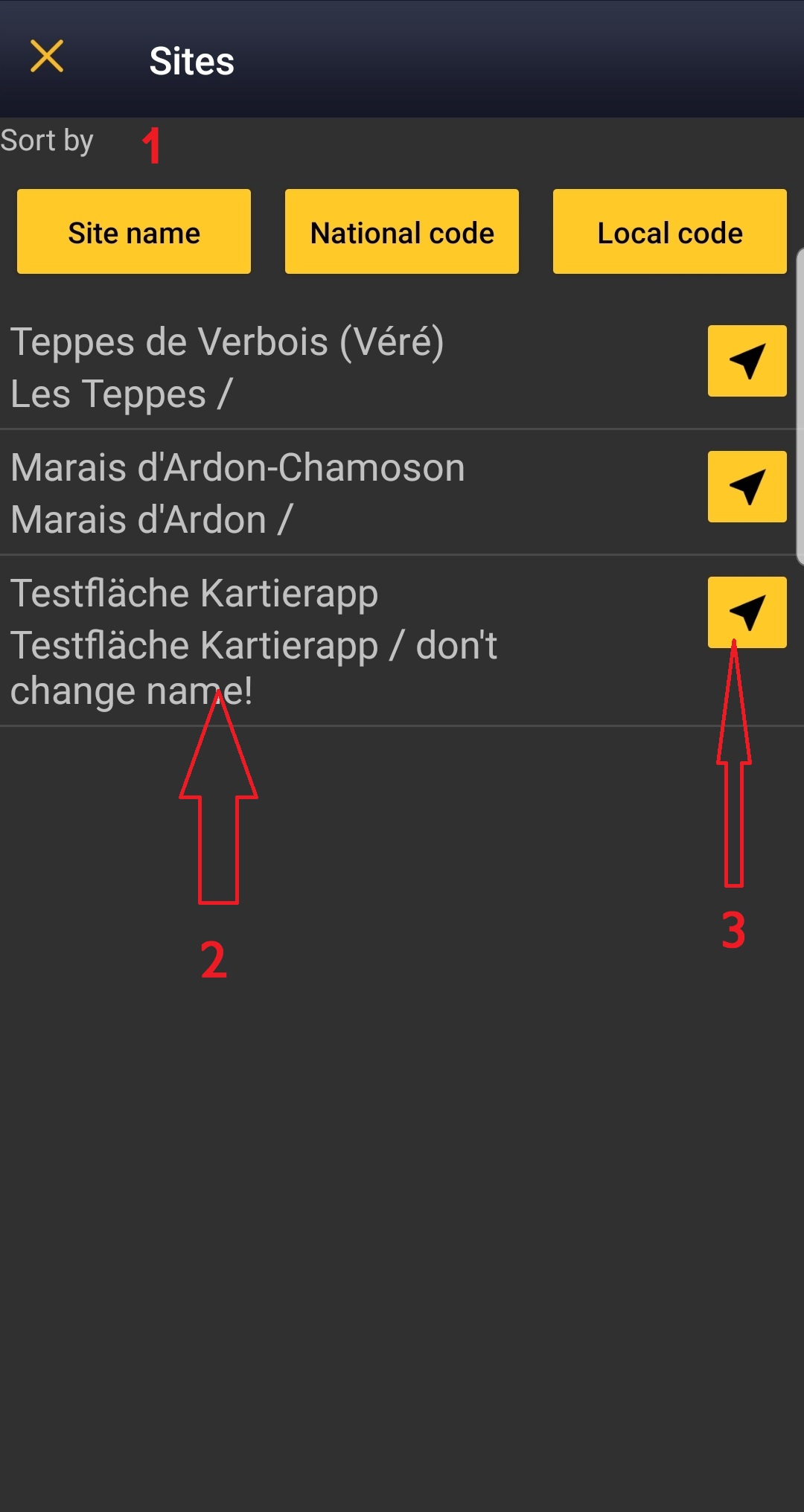
Choose the site you want to count at as explained in wiki section Mobile interface > Protocols > Enter data.
SNSP Start of list
Enter general information before starting the count. Fields are protocol dependent and may change from country to country.
Visit wiki section Mobile interface > Protocols > Enter data > Start of list for details.
Click Next when done.
SNSP Entering records
Create objects as described at wiki section Mobile interface> Submitting records> Create object, or
enter nest/territory observations as described below.

- Place
Place your observation within the study area.
See wiki section Mobile interface > Protocols > Enter data > Entering observations > Place on how to interpret the map and place your observation.
- Nest/territory status
Fill in details about the nest/territory.

Nest/territory status.
1. Time spent: Type the time spent on the nest.
2. Occupation: Indicate the occupation status.
3. Nest/territory protection: Click on the yellow area to open an expandable menu and select the most appropriate protection for the nest/territory if necessary.
4. Comments: Type a comment if necessary.
Click on:
- History of the nest: To access previous information about this nest/territory. It requires internet connection. Or,
- Next: To save net/territory information and pass to the next screen.
- History of the nest: To access previous information about this nest/territory. It requires internet connection. Or,
If the nest is occupied, give further details on the Plus section, ie. orientation, number of eggs, ring number...
If the nest is abandoned, you will be asked for details (see image below).

Abandoned nest. Details.
- Species
Enter species name by typing it or choosing from the expandable menu. Use shortcuts if necessary.
See wiki section Mobile interface > Protocols > Enter data > Entering observations > Species on how to enter the species name.
See wiki section Mobile interface > Shortcuts on how to use shortcuts.
- Number of individuals
Enter number of individuals and count precision. You may start a count.
Visit Mobile interface > Entering records > Directly in the field > Number of individuals if necessary.
- Plus
Enter additional information as if it where a detailed list.
See wiki section Mobile interface > Submitting records > Directly in the field > Step 4: Additional information on how to do it, if necessary.
When done, click Save. It will take you to the Place screen to continue entering observations.
SNSP Ending the list
To finish the survey,
1. Stop recording,
2. Adjust time, if necessary,
3. Fill in/modify details, if necessary.

When done, click I recorded all species of the programe.
Visit wiki section Mobile interface > Enter data > Ending the list for details, if necessary.
Remember to synchronise your data as soon as possible after entering to avoid loosing it.
SNSP Editing records and/or protocols
To edit records within a protocol, or to edit the protocol's general parameters, visit wiki section Mobile interface > Editing records > Editing protocols.
SNSP Deleting records and/or protocols
To delete records within a protocol, or to delete the whole protocol, visit wiki section Mobile interface > Editing records > Deleting protocols.
SNSP Browsing records
See your protocoled records:
- Before synchronisation
- In the phone. See more details in wiki section Accessing your own records.
- Before synchronisation
- After synchronisation
- In Mine. See more details in wiki section Accessing records' details.
- After synchronisation
- In Under verification (only if any data of the protocol needs more information)
- In Under verification (only if any data of the protocol needs more information)
- In the local portal. Go to the corresponding local portal, Menu > Explore > All my observations.
- In the local portal. Go to the corresponding local portal, Menu > Explore > All my observations.