Corncrake points (Admin)
CREX
Access your protocol from Menu > Take part > All my protocol > Corncrake.
For other options, visit wiki section Administrators > Protocols > Accessing protocols.

Corncrake. Admin menu.
Corncrake (points)
-
1 Preparation and data
2 Sites
3 User/Site
4 Settings
5 Import a shapefile
6 Check Data
7 Report
8 Map
CREX Preparation and data

Corncrake. Preparation and data.
Identical section to the one available to registered users with rights to the Corncrake protocol. See wiki section Web interface > Protocols > Corncrake > Preparation and data for more information.
[Top to Preparation and data]
[Back to Corncrake protocol (points)]
CREX Sites
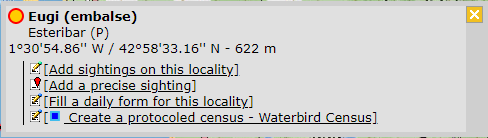
CREATE A NEW SITE:
1. Directly by Transmit my sightings map > Protocols > Corncrake
or
through Menu > Administration > Protocol administration > Corncrake > Sites > +NEW button
2. Select new site as if Submitting records
3. Choose Create a protocoled census -Corncrake
4. Name the new site
5. Draw a point or import shapefile
6. SAVE



Corncrake. Sites.
List of all existing sites allowing a Corncrake census.
Visit wiki section Administration > Protocol management > Sites for more information.
[Top to Sites]
[Back to Corncrake protocol (points)]
CREX User/Site

Corncrake. User/Site.
From the menu, select User / Site to assign users to study sites.
Visit wiki section Administration > Protocol management > User/Site for more information.
[Top to User/Site]
[Back to Corncrake protocol (points)]
CREX Settings

Corncrake. Settings.
Set protocol parameters.
Visit wiki section Administration > Protocol management > Settings for details.
Parameters describing the protocol
Expand the table below to see all posible parameters and options available for the Corncrake protocol. Use arrows on headers to alternate between ascending and descending alphabetical order.
| Corncrake. Parameters. | ||||||||||
|---|---|---|---|---|---|---|---|---|---|---|
| Name | Description | Options | ||||||||
| Additional observer(s) | Space to indicate if the observer has been accompanied by someone whose observations were also recorded. | empty field | ||||||||
| Habitat | The user indicates the most approximate habitat. | lush meadows pasture lean and dry meadows high altitude meadows megaphorb luceme wheat/barley other crops |
||||||||
| Haymaking/harvest/pasture | The user estimates how the land is managed. | Standing grass/crop freshly mown/harvested land grazed land |
||||||||
| Song | The user indicates the reason that prompted the singing. | spontaneous singing no spontaneous singing in response to stimulation no response to stimulation |
||||||||
| Locomotion | To indicate the means of transport used during the survey. | By foot By bike By motocycle By car |
||||||||
| Rain | To indicate if there is any rain during the survey. | No rain<Lbr/>Weak rain Strong rain |
||||||||
| Wind | To indicate if there is any wind during the survey. | No wind<Lbr/>Weak wind Quite strong wind |
||||||||
| Visibility | To indicate the quality of visibility during the survey. | Good visibility Moderate visibility Bad visibility |
||||||||
| Cloud cover | To indicate the amount of clouds during the survey. | 0-33% 33-66% 66-100% |
||||||||
| Snow | To indicate the amount of sow covering the ground. | No snow 0-1 cm 1-5 cm >5 cm |
||||||||
[Top to Settings]
[Back to Corncrake protocol (points)]
CREX Import a shapefile

Corncrake. Import a shapefile.
Import a shapefile with the study site and/or see all imports.
Visit wiki section Administration > Protocol management > Settings > Import a shapefile.
[Top to Import a shapefile]
[Back to Corncrake protocol (points)]
CREX Check data
Corncrake. Check data.
Visualise a summary of survey data.
Visit wiki section Administration > Protocol management > Check data for more information.
[Top to Check data]
[Back to Corncrake protocol (points)]
CREX Report

Sand Martin. Report.
Visualise pooled results from surveys.
Visit wiki section Administration > Protocol management > Report for more information.
[Top to Report]
[Back to Corncrake protocol (points)]
CREX Map

Corncrake. Map.
Display the area map by polygon, and see its statistics.
Visit wiki section Administration > Protocol management > Map for more information.
[Top to Map]
[Back to Corncrake protocol (points)]
[Back to Protocols management]