Rock Ptarmigans protocol (Admin)
LAGOPUS_MOTA

12 Rock Ptarmigans protocol
-
12.1 Preparation and data
12.2 Sites
12.3 User/Site
12.4 Settings
- 12.4.1 Species list
12.4.2 Parameters describing the protocol
12.4.3 Parameters
- 12.5 Check Data
12.6 Report
12.7 Map
LAGOPUS MOTA Preparation and data

Identical section to the one available to registered users with rights to the Waterbird Census Protocol. It allows printing maps and entering observations. See wiki section Web interface > Protocols > Rock Ptarmigans protocol > Preparation and data for more information.
LAGOPUS MOTA Sites
|
CREATE A NEW SITE:
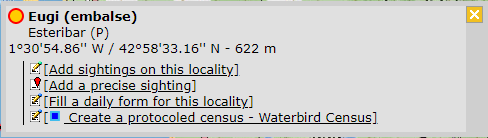
or through Menu > Administration > Protocol administration > Rock Ptarmigans protocol > Sites > +NEW button 2. Select new site as if Submitting records 3. Choose Create a protocoled census -Rock Ptarmigans protocol 4. Name the new site 5. Draw a polygon or import shapefile 6. SAVE |
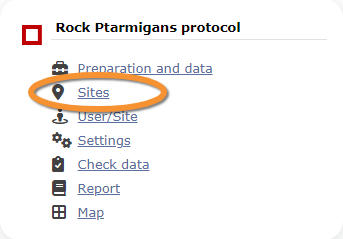


List of all existing sites allowing a Rock Ptarmigan protocol.
Visit wiki section Web interface > Protocols > Sites for more information.
LAGOPUS MOTA User/Site

From the Rock Ptarmigan protocol menu, select User / Site to assign users to study sites.
Visit wiki section Web interface > Protocols > User/Site
LAGOPUS MOTA Settings
LAGOPUS MOTA Species list
LAGOPUS MOTA Parameters describing the protocol
LAGOPUS MOTA Parameters
LAGOPUS MOTA Check data

Visualise a summary of survey data.
Visit wiki section Web interface > Protocols > Check data for more information.
LAGOPUS MOTA Report

Visualise pooled results from surveys.
Visit wiki section Web interface > Protocols > Report for more information.
LAGOPUS MOTA Map

Display the area map by polygon, and see its statistics.
Visit wiki section Web interface > Protocol > Map for more information.
[Top to Rock Ptarmigans protocol]
[Back to Protocols management]