MHB & BDM (NL)
MHB_BDM
MHB & BDM territory mapping
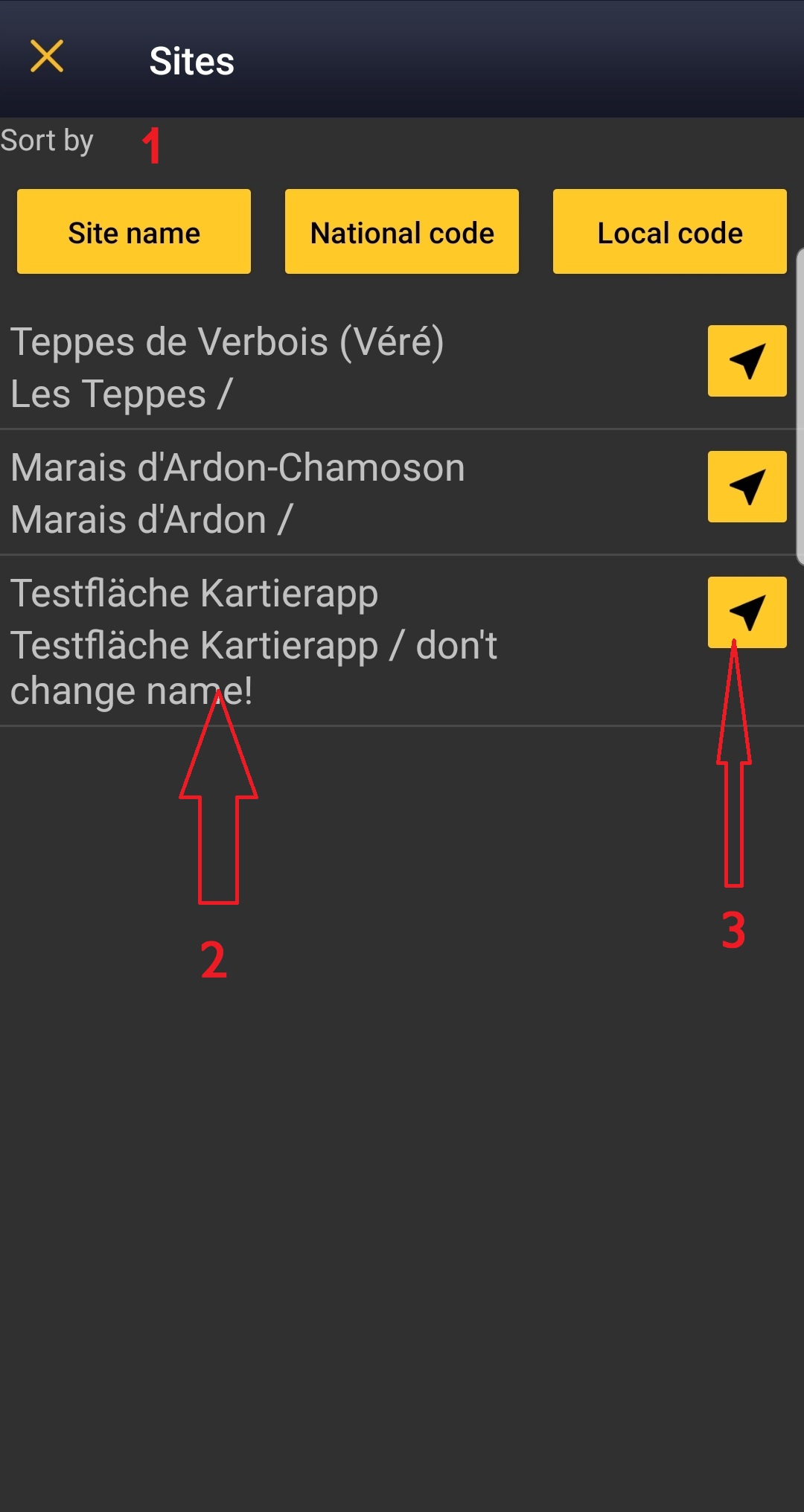
· Enter MHB & BDM territory mapping.
· Choose the site to survey, if more than one.

Open the menu as for Submitting records and choose MHB & BDM territory mapping (see image below).
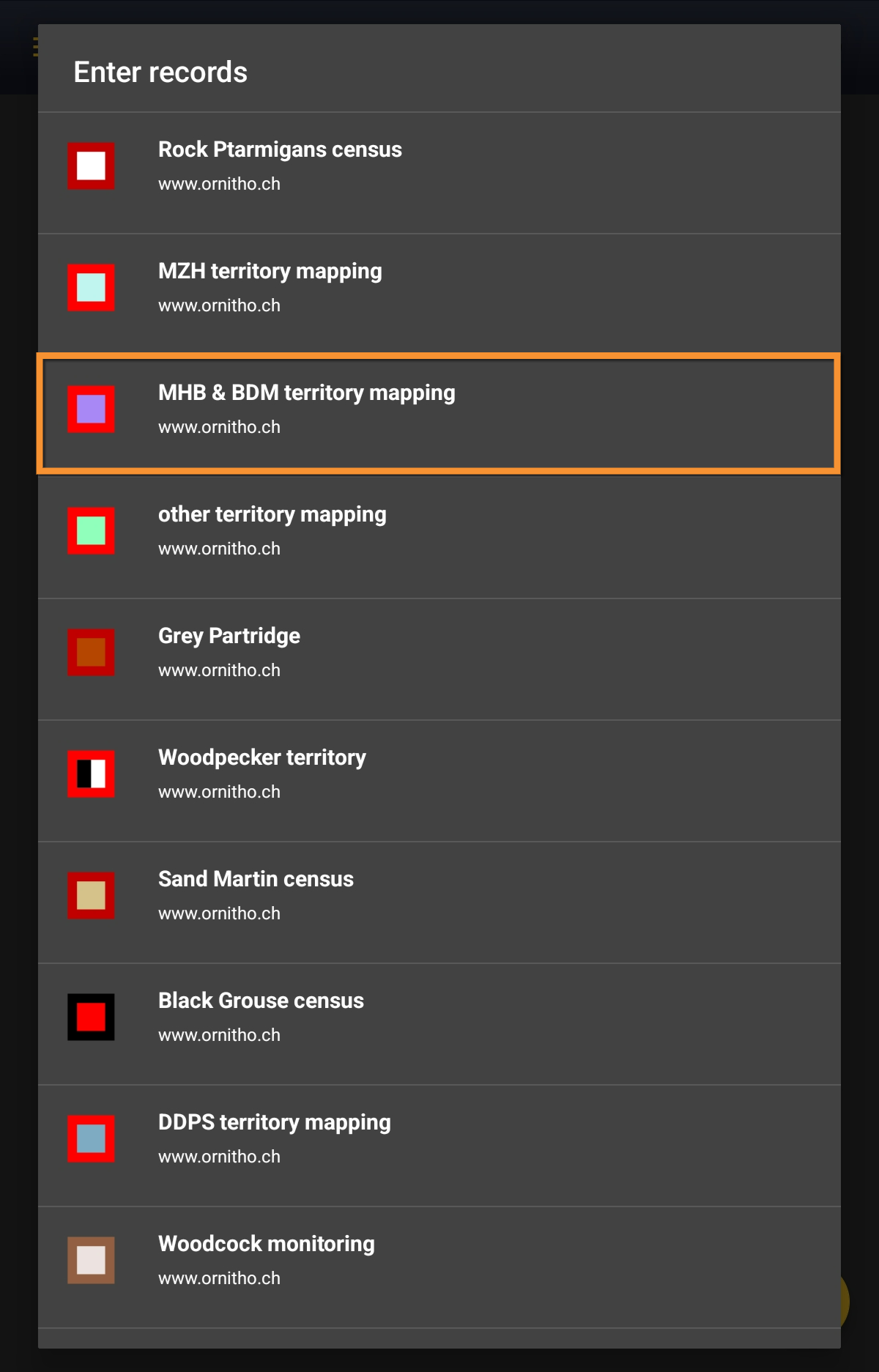
MHB & BDM territory mapping.
Choose the site you want to count at as explained in wiki section Mobile interface > Protocols > Enter data.
MHB_BDM Start of list
Enter general information before starting the count. Fields are protocol dependent and may change from country to country.
Visit wiki section Mobile interface > Protocols > Enter data > Start of list for details.
Click Next when done.
MHB_BDM Entering records
This is an horizontal protocol, enter observations as if in a list in the field.
Visit wiki section Mobile interface > Protocols > Enter data > Entering records > Horizontal protocols for more information on horizontal protocols.
- Place
Place your observation within the study area.
See wiki section Mobile interface > Protocols > Enter data > Entering observations > Place on how to interpret the map and place your observation.
- Species
Enter species 'by search' or using protocol shortcuts when available.
See wiki section Mobile interface > Protocols > Enter data > Entering observations > Species on how to enter the species name.
See wiki section Mobile interface > Shortcuts to learn more about shortcuts and how to create them.
- Number of individuals
Enter number of individuals using the counter provided.
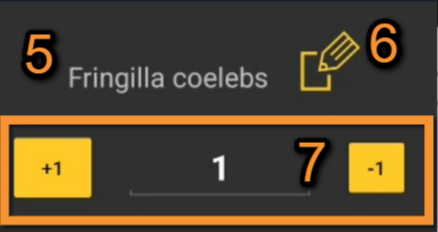
Number of individuals.
5. Species: Registered species.
6. Edit: Click to go to previous screen and change species name.
7. Counter: Type number of individuals or use quick keys.
Visit Mobile interface > Entering records > Enter independent observations > Number of individuals if necessary.
- Plus
Enter additional information using the icons provided. White background icons refer to atlas code/behaviour, and only one option is possible. Blue background icons refer to other information (ie. comments, flight direction...) and can be combined with several icons.
Visit wiki section Mobile interface > Entering records > Enter independent observations > Additional information > Entering additional information with icons for correspondence if necessary. Note not all icons may be available in all protocols.
[Top to Entering records]
[Back to MHB & BDM protocol]
MHB_BDM Ending the list
To finish the survey,
1. Stop recording,
2. Adjust time, if necessary,
3. Fill in/modify details, if necessary.

When done, click All species were reported (=complete list).
Visit wiki section Mobile interface > Enter data > Ending the list for details, if necessary.
Remember to synchronise your data as soon as possible after entering to avoid loosing it.
MHB_BDM Editing records and/or protocols
To edit records within a protocol, or to edit the protocol's general parameters, visit wiki section Mobile interface > Editing records > Editing protocols.
MHB_BDM Deleting records and/or protocols
To delete records within a protocol, or to delete the whole protocol, visit wiki section Mobile interface > Editing records > Deleting protocols.
MHB_BDM Browsing records
See your protocoled records:
- Before synchronisation
- In the phone. See more details in wiki section Accessing your own records.
- Before synchronisation
- After synchronisation
- In Mine. See more details in wiki section Accessing records' details.
- After synchronisation
- In Under verification (only if any data of the protocol needs more information)
- In Under verification (only if any data of the protocol needs more information)
- In the local portal. Go to the corresponding local portal, Menu > Explore > All my observations.
- In the local portal. Go to the corresponding local portal, Menu > Explore > All my observations.