Translations:Submitting records/168/en
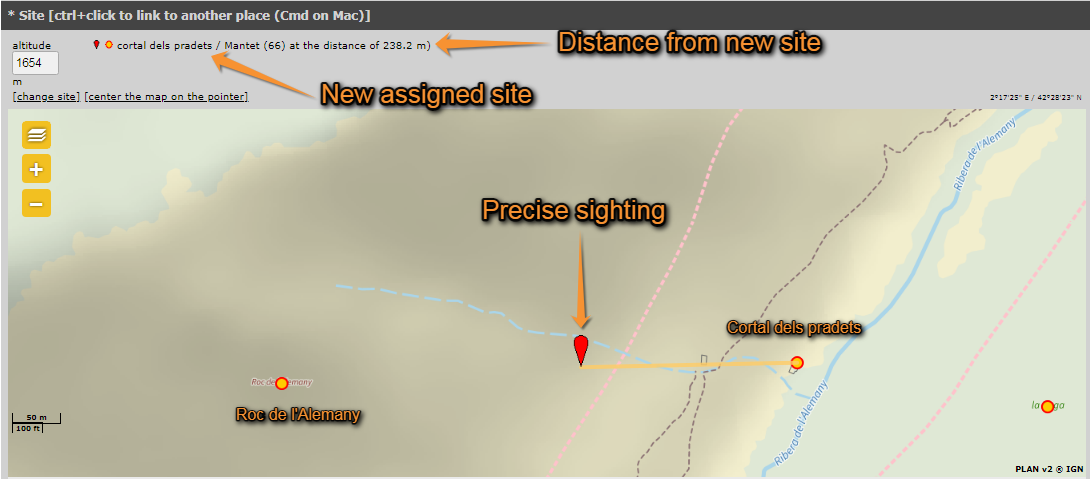
It still takes you to wiki section Web interface > Submitting records > Step 3/3: Transmit my sighting but adds a section at the top in which to click the position of the individual (see image Add a precise site on the map. Note how your observation gets associated to a new precise location –yellow line on the map). The system associates this record automatically with the closest location and will show the observation linked to that site. If you want to change to which point it gets associated to, hold CTRL and click on the new predetermined site. Depending the portal, exact coordinates will only be visible for you and for the administrators. Adding a precise sighting is especially useful when you know the exact point of the observation but cannot work out to which predetermined location it belongs to; or for studies that require exact positions, for example when mapping nests or territories. The predetermined altitude for the new location is shown on the field at the top left corner. Change altitude of observation if necessary. Expand/Collapse the map using the arrow at the bottom.