Translations:Submitting records/247/en
Jump to navigation
Jump to search
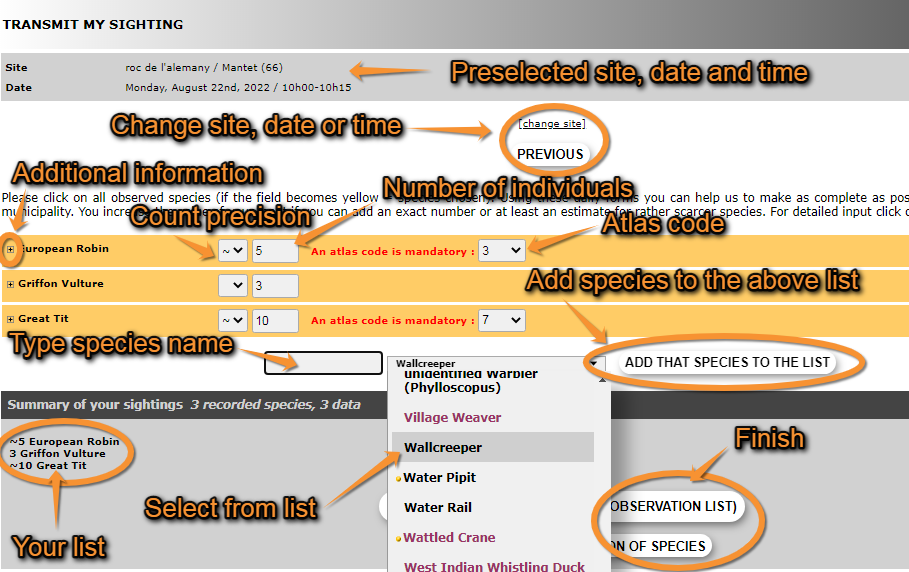
At the top it shows the site, date and time you selected. Click Change site, for site, or Previous, for date and time, if you need to make any changes.
To enter records choose a species from the list or start typing the name on the left field and choose from the expandable list (see image Creating a list. Select species). To move through the list use the arrows on your keyboard, the wheel on the mouse, or move the line on the right with your mouse. To change the order in which you see the species, and the language of the species, see section Web interface > My account > Website customisation > Global parameters > Species order or Recording language, respectively. To see colour correspondence, see Various > Symbols cheatsheet.