Deleting records
Only you and administrators have the right to delete your records.
You cannot delete any other record than yours unless you have the appropriate right.
It can be done from any part of the website where you can see your data (for example, Last 2, 5 or 15 days, Latest rare sightings, All my sightings, Search engine, Protocols, and so on).
-
NOTE
Depending the local portal you are using, the bin icon may be deactivated if the data has been already exported. If it is the case, you will not see the bin icon, and the editing icon becomes red
 .
. To delete such data you need to contact your local administrator.
Deleting a single record
· click  next to the observation to delete it.
· confirm before deleting the entry: select confirm to delete the entry, or cancel to keep it.
Deleting single records from list of records or the full list
· click  next to the observation to delete the full list the record belongs to.
· confirm before deleting the entry: select confirm to delete the entry, or cancel to keep it.
IMPORTANT
Using to delete a record will delete the full list.
If clicked by mistake, click cancel when asked to confirm.
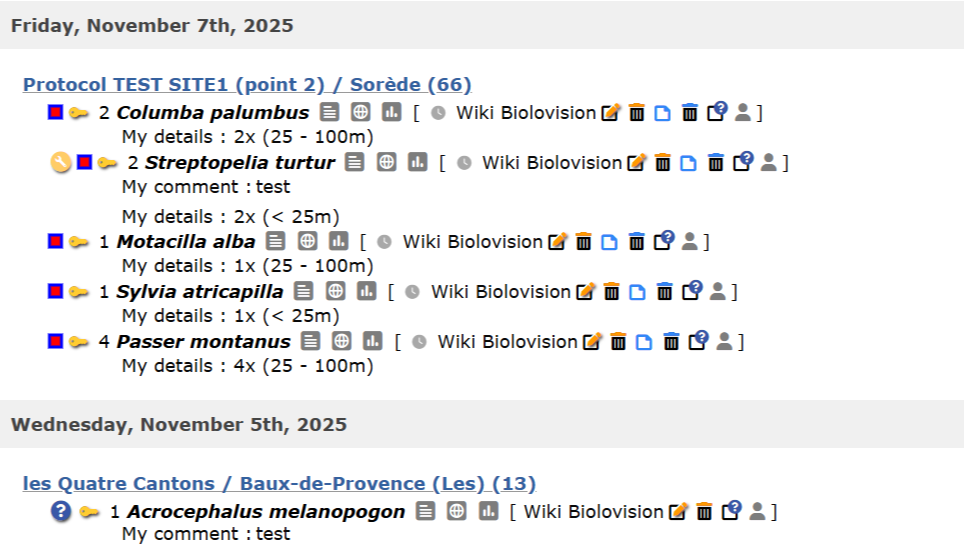
Bin to delete data in "All my observations". Example.
|
|
Delete a single record |
|
|
Delete full list |
|
|
Impossible to edit the record. Please contact your local administrator if necessary. |
Deleting records from editing records/seeing details
Delete records from the editing panel (see image below) while editing a record.
· click on the delete icon:
to delete a single record,
to delete the full list.
See wiki section Editing records for more details about editing data.
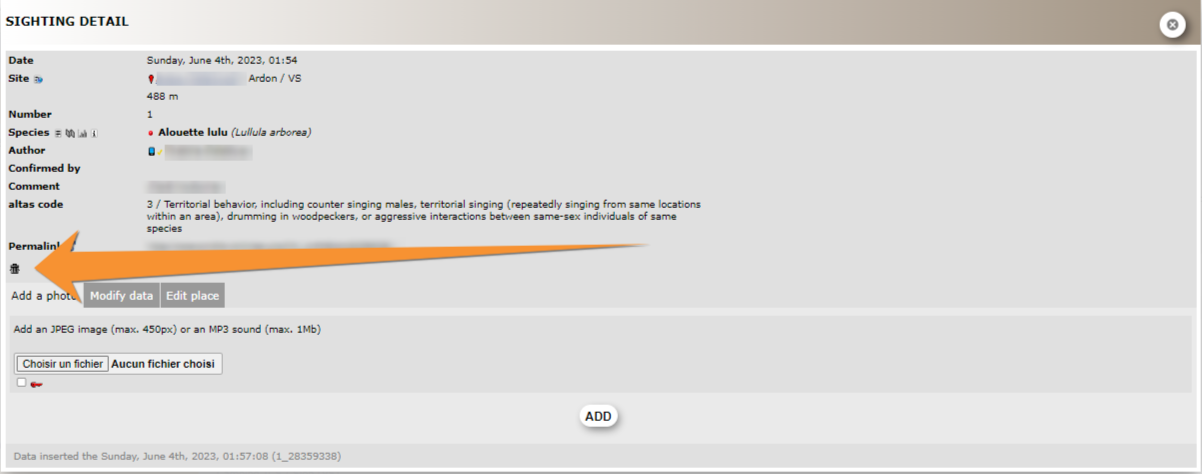
Bin in sightings details.
IMPORTANT
Using to delete a record will delete the full list.
If clicked by mistake, click cancel when asked to confirm.
Note: images and examples are drawn from the French portal Faune-France. The design and position of some tools may vary slightly from portal to portal. To see a list of portals go to wiki section Local portals and partners. |