MHB & BDM (NL): Difference between revisions
No edit summary |
No edit summary Tag: Manual revert |
||
| (12 intermediate revisions by the same user not shown) | |||
| Line 5: | Line 5: | ||
<div class="toc" style="width:350px;"> <!-- La llargada s'ha de canviar aquí --> | <div class="toc" style="width:350px;"> <!-- La llargada s'ha de canviar aquí --> | ||
<div class="mw-collapsible mw-collapsed" data-expandtext="Show" data-collapsetext="Hide" style="width:300px;margin-bottom:0px;margin-top:0px;background-color:#f7f7f7;"> | <div class="mw-collapsible mw-collapsed" data-expandtext="Show" data-collapsetext="Hide" style="width:300px;margin-bottom:0px;margin-top:0px;background-color:#f7f7f7;"> | ||
''' | '''MHB & BDM territory mapping''' | ||
<div class="mw-collapsible-content" style="width:350px;background-color:#f7f7f7;"> <!-- I també cal canviar la llargada aquí --> | <div class="mw-collapsible-content" style="width:350px;background-color:#f7f7f7;"> <!-- I també cal canviar la llargada aquí --> | ||
<ol> | <ol> | ||
1 [[MHB & BDM (NL)#Start_of_list|Start of list]] <br /> | |||
2 [[MHB & BDM (NL)#Entering_records|Entering records]]<br /> | |||
3 [[MHB & BDM (NL)#Ending_the_list|Ending the list]]<br /> | |||
4 [[MHB & BDM (NL)#Editing_records_and/or_protocols|Editing records and/or protocols]] <br /> | |||
5 [[MHB & BDM (NL)#Deleting_records_and/or_protocols|Deleting records and/or protocols]]<br /> | |||
6 [[MHB & BDM (NL)#Browsing_records|Browsing records]]<br /> </ol> | |||
</div> | </div> | ||
</div> | </div> | ||
| Line 21: | Line 21: | ||
<center> | <center> | ||
< | <div class="toc" style="border-radius: 5px; padding: 25px; text-align: left; font-family: sans-serif; color: black; width: 400px; background-color: #ffffdb"> | ||
<!-- GREEN BOX (Tips): hsl(157, 74%, 80%) | <!-- GREEN BOX (Tips): hsl(157, 74%, 80%) | ||
YELLOW BOX (Summaries): #ffffdb" | YELLOW BOX (Summaries): #ffffdb" | ||
| Line 30: | Line 28: | ||
<p> | <p> | ||
< | <span style="color: #000000; margin-left: 25px;"><b>· </b> Enter [[Media:MHB_BDM menu.png|MHB & BDM territory mapping]]. <br/> | ||
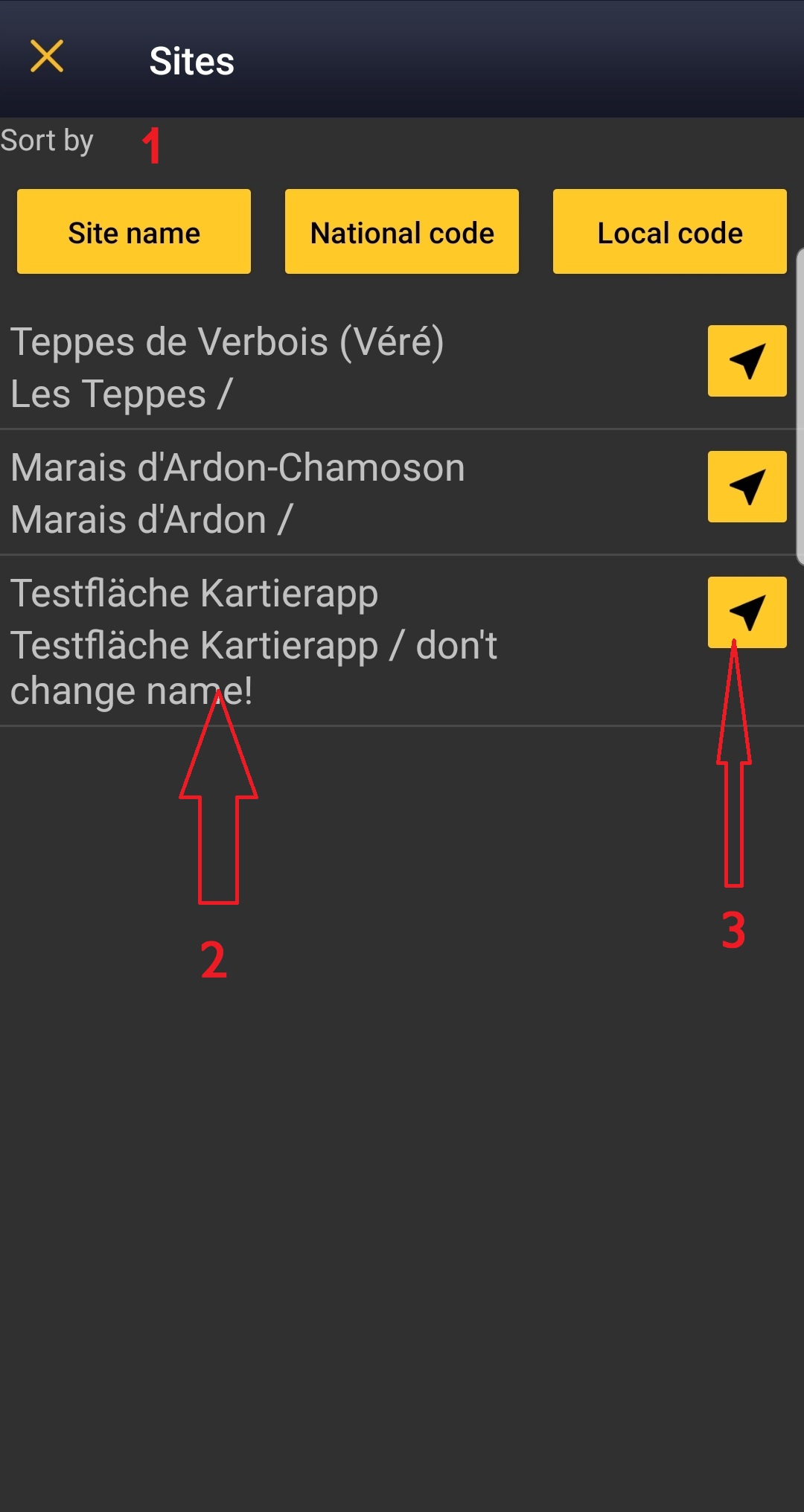
<span style="color: #000000; margin-left: 25px;"><b>· </b> Choose [[Media:Choice of a protocol site.jpg|the site]] to survey, if more than one. <br/> | |||
</p> | |||
</ | </div> | ||
</center> | </center> | ||
<br /> | <br /> | ||
| Line 44: | Line 41: | ||
<center> | <center> | ||
<div class="toc" style="border-radius:5px;background-color:#ffffff;padding-left:8px;padding-right:8px;padding-bottom:8px;width: | <div class="toc" style="border-radius:5px;background-color:#ffffff;padding-left:8px;padding-right:8px;padding-bottom:8px;width:300px;"> | ||
[[File: | | [[File: MHB_BDM_NL menu.png|300px|link=https://help.biolovision.net/images/5/5d/MHB_BDM_NL_menu.png|Click image to enlarge]] | ||
<div class="toc" style="border-radius:5px;padding-left:15px;text-align:left; font-size:12px;width: | <div class="toc" style="border-radius:5px;padding-left:15px;text-align:left; font-size:12px;width:285px;"> | ||
'''MHB & BDM territory mapping.''' | '''MHB & BDM territory mapping.''' | ||
</div> | </div> | ||
| Line 75: | Line 72: | ||
<br/> | <br/> | ||
This is an [[Glossary#Horizontal|horizontal protocol]], enter observations as if in a [[Entering_records#With_list_in_the_field| '''list in the field''']]. <br/> | |||
Visit wiki section Mobile interface > Protocols > Enter data > Entering records > [[Protocols#Horizontal protocols|Horizontal protocols]] for more information on horizontal protocols. <br/> | |||
[[ | |||
<br/> | |||
<br/> | <br/> | ||
| Line 104: | Line 84: | ||
:'''Species'''<br/> | :'''Species'''<br/> | ||
Enter species name. <br/> | Enter species ''''by search'''' or using protocol shortcuts when available. <br/> | ||
<br/> | |||
See wiki section Mobile interface > Protocols > Enter data > Entering observations > [[Protocols#Species|Species]] on how to enter the species name. <br/> | |||
<br/> | <br/> | ||
See wiki section Mobile interface | See wiki section Mobile interface > [[Shortcuts|Shortcuts]] to learn more about shortcuts and how to create them.<br/> | ||
<br/> | <br/> | ||
| Line 116: | Line 99: | ||
<center> | <center> | ||
<div class="toc" style="border-radius:5px;background-color:#ffffff;padding-left:8px;padding-right:8px;width:400px;"> | <div class="toc" style="border-radius:5px;background-color:#ffffff;padding-left:8px;padding-right:8px;width:400px;"> | ||
[[File:Counter.png|400px]] | [[File:Counter.png|400px|link=https://help.biolovision.net/images/c/cc/Counter.png|Click image to enlarge]] | ||
<div class="toc" style="border-radius:5px;padding-left:15px;text-align:left; font-size:12px;width:385px;"> | <div class="toc" style="border-radius:5px;padding-left:15px;text-align:left; font-size:12px;width:385px;"> | ||
'''Number of individuals.''' | '''Number of individuals.''' | ||
| Line 130: | Line 113: | ||
<br/> | <br/> | ||
Visit Mobile interface > Entering records > | Visit Mobile interface > Entering records > Enter independent observations > [[Entering_records#Number_of_individuals| Number of individuals]] if necessary.<br/> | ||
<br/> | <br/> | ||
| Line 137: | Line 120: | ||
<br/> | <br/> | ||
Visit wiki section Mobile interface > Entering records > | Visit wiki section Mobile interface > Entering records > Enter independent observations > Additional information > [[Entering records#icons|Entering additional information with icons]] for correspondence if necessary. Note not all icons may be available in all protocols.<br/> | ||
<br/> | <br/> | ||
Latest revision as of 17:46, 31 October 2025
MHB_BDM
MHB & BDM territory mapping
· Enter MHB & BDM territory mapping.
· Choose the site to survey, if more than one.

Open the menu as for Submitting records and choose MHB & BDM territory mapping (see image below).
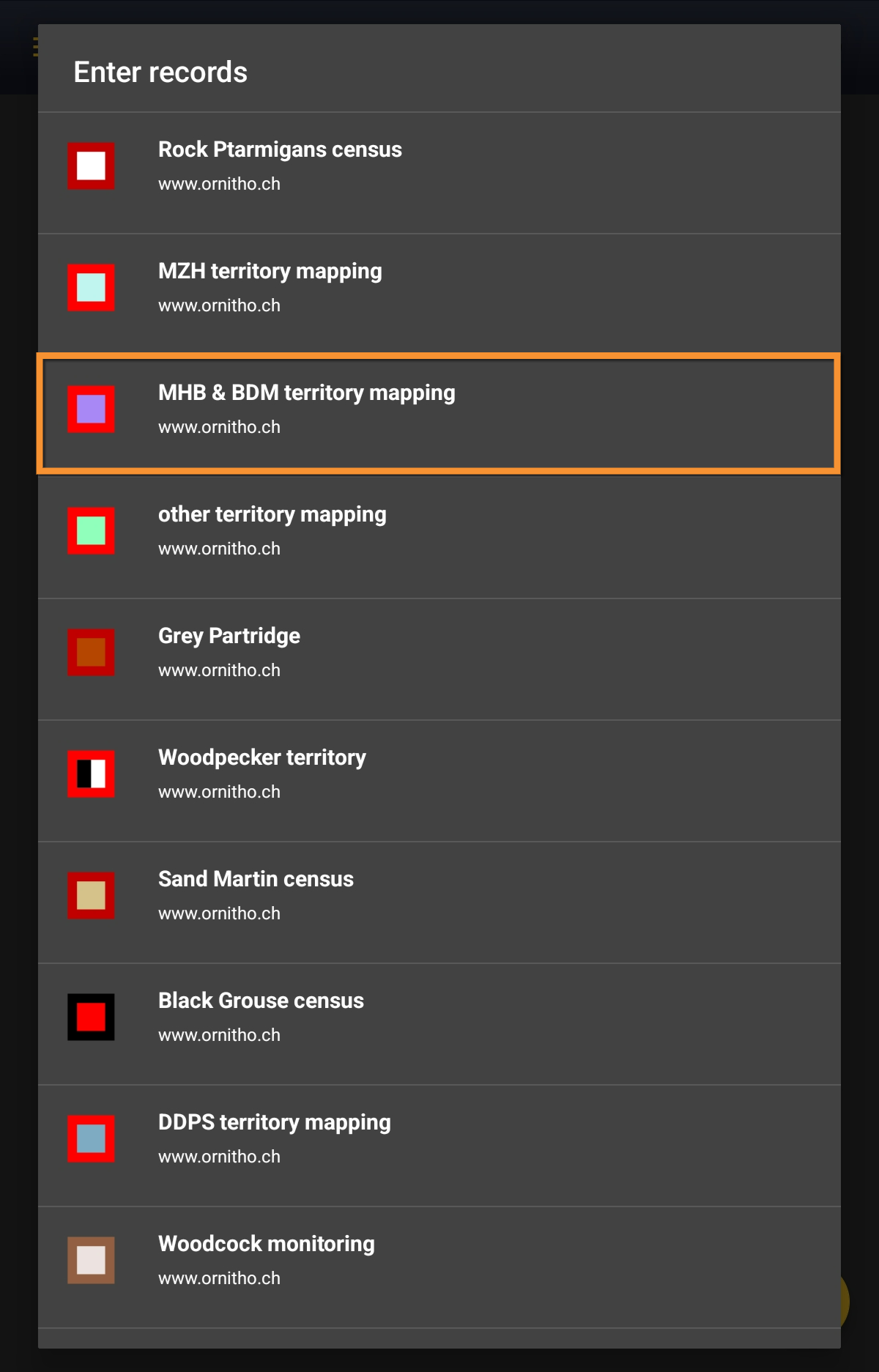
MHB & BDM territory mapping.
Choose the site you want to count at as explained in wiki section Mobile interface > Protocols > Enter data.
MHB_BDM Start of list
Enter general information before starting the count. Fields are protocol dependent and may change from country to country.
Visit wiki section Mobile interface > Protocols > Enter data > Start of list for details.
Click Next when done.
MHB_BDM Entering records
This is an horizontal protocol, enter observations as if in a list in the field.
Visit wiki section Mobile interface > Protocols > Enter data > Entering records > Horizontal protocols for more information on horizontal protocols.
- Place
Place your observation within the study area.
See wiki section Mobile interface > Protocols > Enter data > Entering observations > Place on how to interpret the map and place your observation.
- Species
Enter species 'by search' or using protocol shortcuts when available.
See wiki section Mobile interface > Protocols > Enter data > Entering observations > Species on how to enter the species name.
See wiki section Mobile interface > Shortcuts to learn more about shortcuts and how to create them.
- Number of individuals
Enter number of individuals using the counter provided.
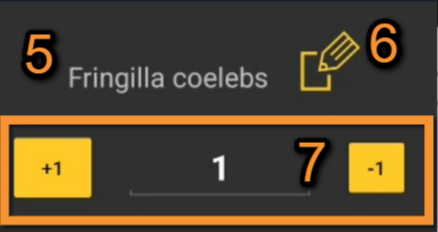
Number of individuals.
5. Species: Registered species.
6. Edit: Click to go to previous screen and change species name.
7. Counter: Type number of individuals or use quick keys.
Visit Mobile interface > Entering records > Enter independent observations > Number of individuals if necessary.
- Plus
Enter additional information using the icons provided. White background icons refer to atlas code/behaviour, and only one option is possible. Blue background icons refer to other information (ie. comments, flight direction...) and can be combined with several icons.
Visit wiki section Mobile interface > Entering records > Enter independent observations > Additional information > Entering additional information with icons for correspondence if necessary. Note not all icons may be available in all protocols.
MHB_BDM Ending the list
To finish the survey,
1. Stop recording,
2. Adjust time, if necessary,
3. Fill in/modify details, if necessary.

When done, click All species were reported (=complete list).
Visit wiki section Mobile interface > Enter data > Ending the list for details, if necessary.
Remember to synchronise your data as soon as possible after entering to avoid loosing it.
MHB_BDM Editing records and/or protocols
To edit records within a protocol, or to edit the protocol's general parameters, visit wiki section Mobile interface > Editing records > Editing protocols.
MHB_BDM Deleting records and/or protocols
To delete records within a protocol, or to delete the whole protocol, visit wiki section Mobile interface > Editing records > Deleting protocols.
MHB_BDM Browsing records
See your protocoled records:
- Before synchronisation
- In the phone. See more details in wiki section Accessing your own records.
- Before synchronisation
- After synchronisation
- In Mine. See more details in wiki section Accessing records' details.
- After synchronisation
- In Under verification (only if any data of the protocol needs more information)
- In Under verification (only if any data of the protocol needs more information)
- In the local portal. Go to the corresponding local portal, Menu > Explore > All my observations.
- In the local portal. Go to the corresponding local portal, Menu > Explore > All my observations.