Private territory mapping (Admin): Difference between revisions
| Line 96: | Line 96: | ||
<br/> | <br/> | ||
Set protocol parameters | Set protocol parameters. <br/> | ||
<br/> | <br/> | ||
Visit wiki section Administration > Protocol management > [[Protocol_management#Settings|Settings]] for | Visit wiki section Administration > Protocol management > [[Protocol_management#Settings|Settings]] for details. <br/> | ||
<br/> | <br/> | ||
====Parameters describing the protocol==== | |||
Private territory mapping does not have any specific parameters; a surveyor will only be asked: <br/> | |||
= | |||
*'''Comments''': Users may enter comment.<br/> | *'''Comments''': Users may enter comment.<br/> | ||
| Line 124: | Line 110: | ||
*'''Hide all records from the public''': Users may keep observations private. <br/> | *'''Hide all records from the public''': Users may keep observations private. <br/> | ||
<br/> | <br/> | ||
Revision as of 22:18, 8 February 2024
OTHER_MAPPING
Private territory mapping records breeding birds within a pre-determined area. Data can only be entered through NaturaList.

10 Private territory mapping
-
10.1 Preparation and data
10.2 Sites
10.3 User/Site
10.4 Settings
- 10.4.1 Species list
10.4.2 Parameters describing the protocol
10.4.3 Parameters
- 10.5 Check Data
10.6 Report
10.7 Map
OTHER MAPPING Preparation and data

Identical section to the one available to registered users with rights to the Private territory mapping. See wiki section Web interface > Protocols > Private territory mapping > Preparation and data for more information.
OTHER MAPPING Sites
|
CREATE A NEW SITE:
2. Select new site as if Submitting records 3. Choose Create a protocoled census -Private territory mapping 4. Name the new site 5. Draw transects or import shapefile 6. SAVE |

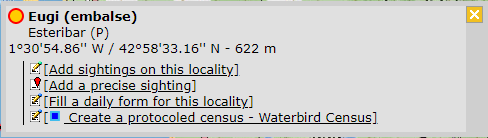


List of all existing sites allowing a protocoled data entry.
Visit wiki section Administration > Protocol management > Sites for more information.
OTHER MAPPING User/Site

From the Private territory mapping menu, select User / Site to assign users to study sites.
Visit wiki section Administration > Protocol management > User/Site for more information.
OTHER MAPPING Settings

Set protocol parameters.
Visit wiki section Administration > Protocol management > Settings for details.
Parameters describing the protocol
Private territory mapping does not have any specific parameters; a surveyor will only be asked:
- Comments: Users may enter comment.
- Record the trace: Users can choose to record the trace. See wiki section Mobile interface > Protocols > Enter data > Start of list > record the trace for more information.
- Hide all records from the public: Users may keep observations private.
OTHER MAPPING Check data

Visualise a summary of survey data.
Visit wiki section Administration > Protocol management > Check data for more information.
OTHER MAPPING Report

Visualise pooled results from surveys.
Visit wiki section Administration > Protocol management > Report for more information.
OTHER MAPPING Map

Display the area map by polygon, and see its statistics.
Visit wiki section Administration > Protocol management > Map for more information.
[Top to Private territory mapping]
[Back to Protocols management]