Woodpeckers (Admin)
WOODPECKER
11 Woodpeckers
-
11.1 Preparation and data
11.2 Sites
11.3 User/Site
11.4 Settings
- 11.4.1 Species list
11.4.2 Parameters describing the protocol
11.4.3 Parameters
- 11.5 Check Data
11.6 Report
11.7 Map
WOODPECKER Preparation and data
WOODPECKER Sites
|
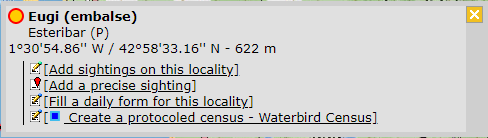
CREATE A NEW SITE:
or through Menu > Administration > Protocol administration > Woodpeckers > Sites> +NEW button 2. Select new site as if Submitting records 3. Choose Create a protocoled census -Woodpeckers 4. Name the new site 5. Draw points or import shapefile 6. SAVE |
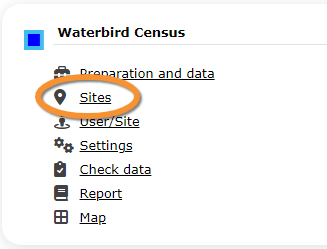


List of all existing sites allowing Woodpeckers' studies.
Visit wiki section Web interface > Protocols > Sites for more information.
This protocol requires 5 points:

1. Draw point
2. Edit point
3. Locality the study area will belong to
4. Active point, either newly created or ready to edit
5. Survey area around the point. Click on any point to hide its survey area.
WOODPECKER User/Site
From the Woodpecker menu, select User / Site to assign users to study sites.
Visit wiki section Web interface > Protocols > User/Site
WOODPECKER Settings
WOODPECKER Species list
WOODPECKER Parameters describing the protocol
WOODPECKER Parameters
WOODPECKER Check data
Visualise a summary of survey data.
Visit wiki section Web interface > Protocols > Check data for more information.
WOODPECKER Report
Visualise pooled results from surveys.
Visit wiki section Web interface > Protocols > Report for more information.
WOODPECKER Map
Display the area map by polygon, and see its statistics.
Visit wiki section Web interface > Protocol > Map for more information.